Blackline Build: One system from brief to live site
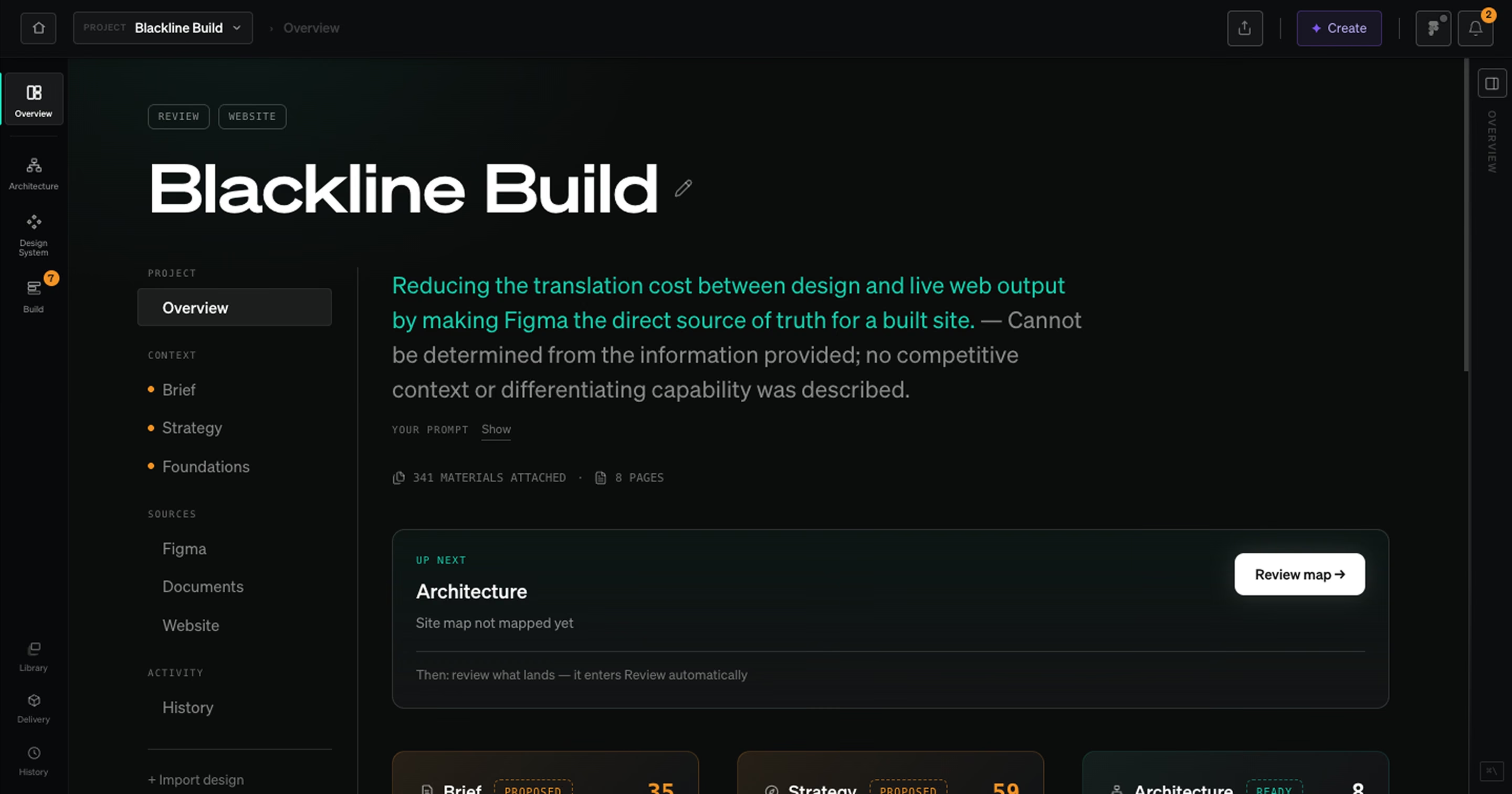
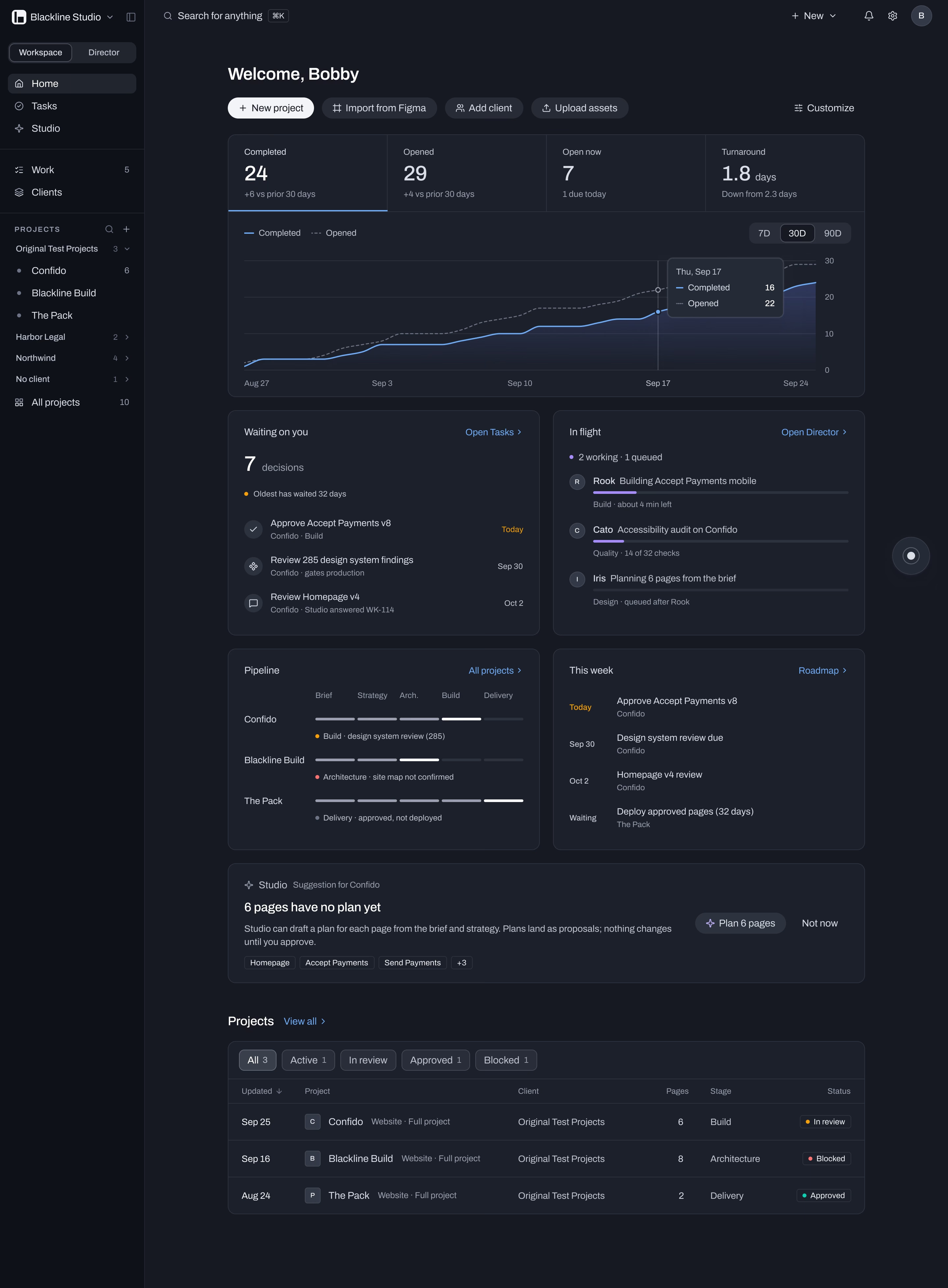
My own product: an operating system for design agencies that runs brief, strategy, architecture, design system, build, review and delivery in one place. AI proposes, people approve. Shown here on the redesign going into production now.
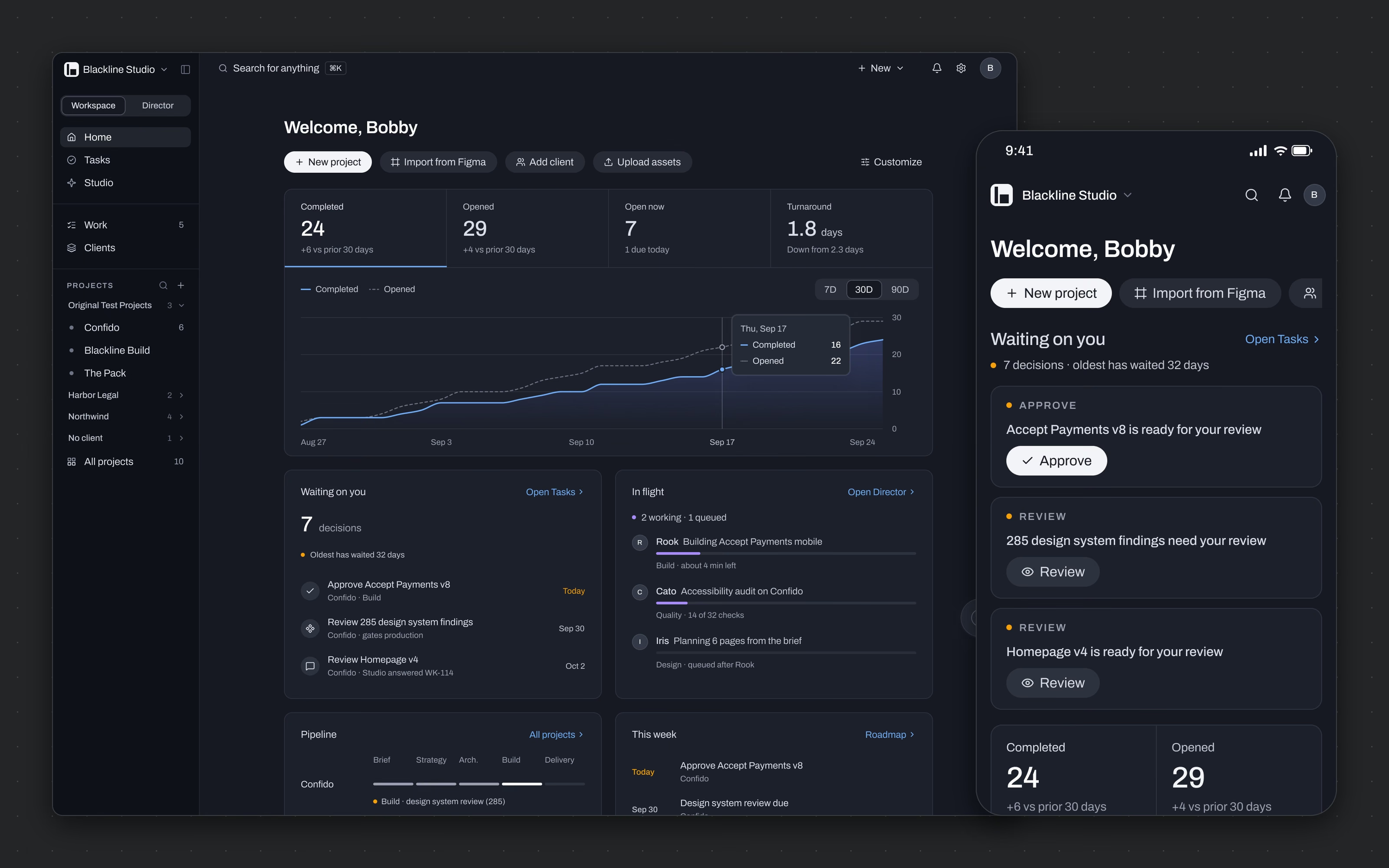
Screens in the redesign, desktop and phone, all telling the same story from the same moment in time.
[ The problem ]
AI made it easy to generate a website and no easier to ship one that holds up. Agencies got faster and lost the structure underneath: design systems drifting away from code, generated changes nobody reviewed, handovers nobody trusted. I kept fixing that by hand for clients, so I built the product that fixes it. The first version shipped and did the job. It also looked like it had been built one feature at a time, with color doing five jobs at once and panels stacked inside panels. For a tool that asks agencies to trust it with client work, that was the wrong first impression.
[ Goals ]
AI that proposes - Studio's work arrives as a proposal with provenance, and nothing reaches a client site until a person approves it. One source of truth - Figma variables, the design system and production code held as one artifact, not three copies drifting apart. Calm at density - every project, decision and run readable on one screen without it feeling crowded. Built to port - tokens, surfaces and states specified tightly enough to rebuild the live product screen by screen.
Approach
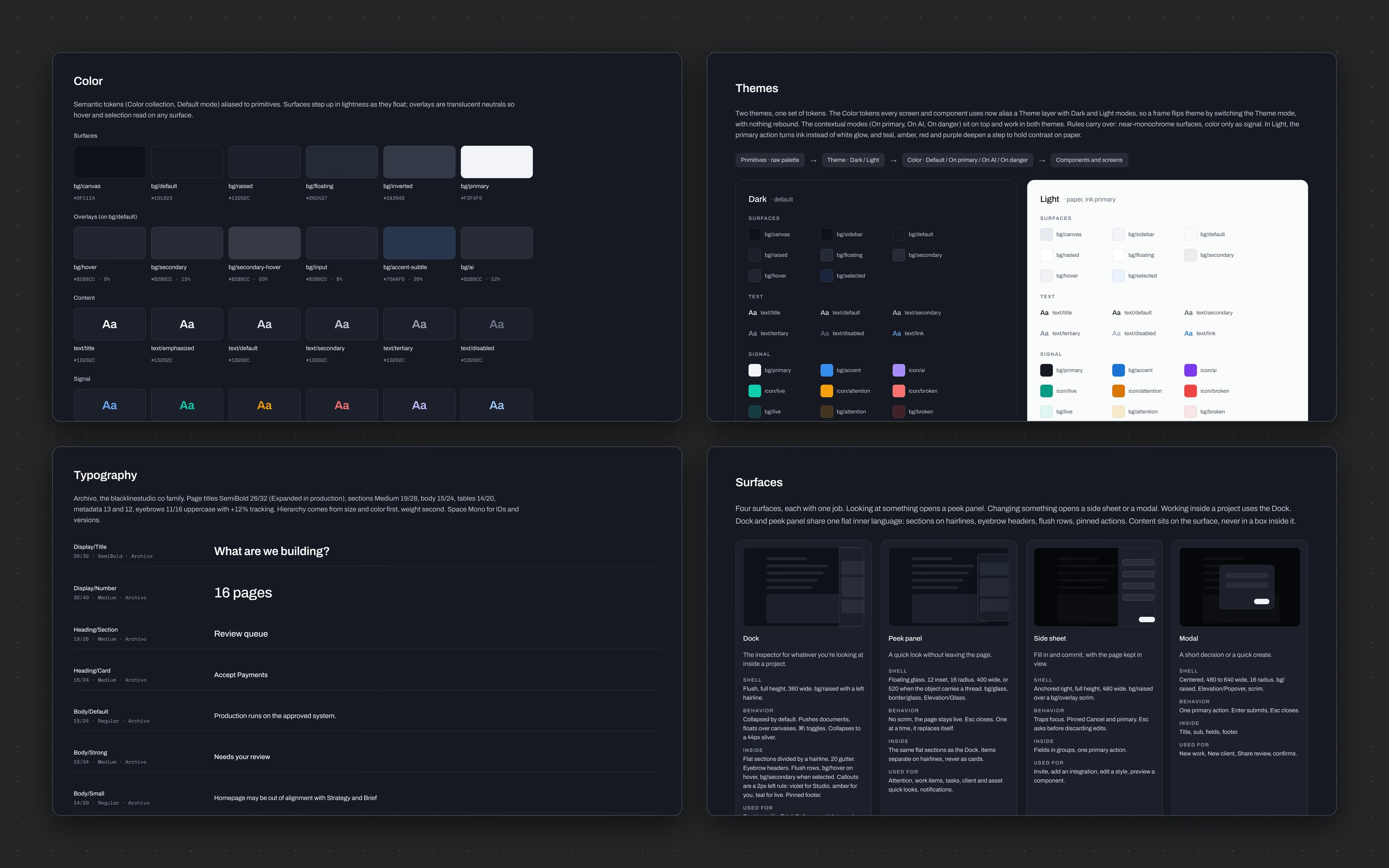
The first version was built by solving the problem for real clients and productizing the pattern after. Intake became a single question, what are we building. Generation became a proposal with gates and provenance. The design system became a token pipeline through a custom Figma plugin, so a variable changed in Figma is the same event as a token changed in code. For the redesign I borrowed the grammar of Mercury, the banking app, because it proves dense financial software can still feel calm, and kept Blackline's own materials: blue graphite neutrals, Archivo for headings, Space Mono for IDs and routes. Color got a strict budget. Neutral by default, white for the primary action, teal for live and approved, amber for waiting on you, red for broken, cobalt for where you are, and violet for AI and nothing else. Then the work went in rounds: foundations, every page on desktop and phone, every state, and nine end-to-end journeys wired as prototype flows. Each round closed with a continuity review, so a count on Home matches the same count in Tasks, the Director and the bell.
[ Scope and constraints ]
[ The work ]
The surfaces.
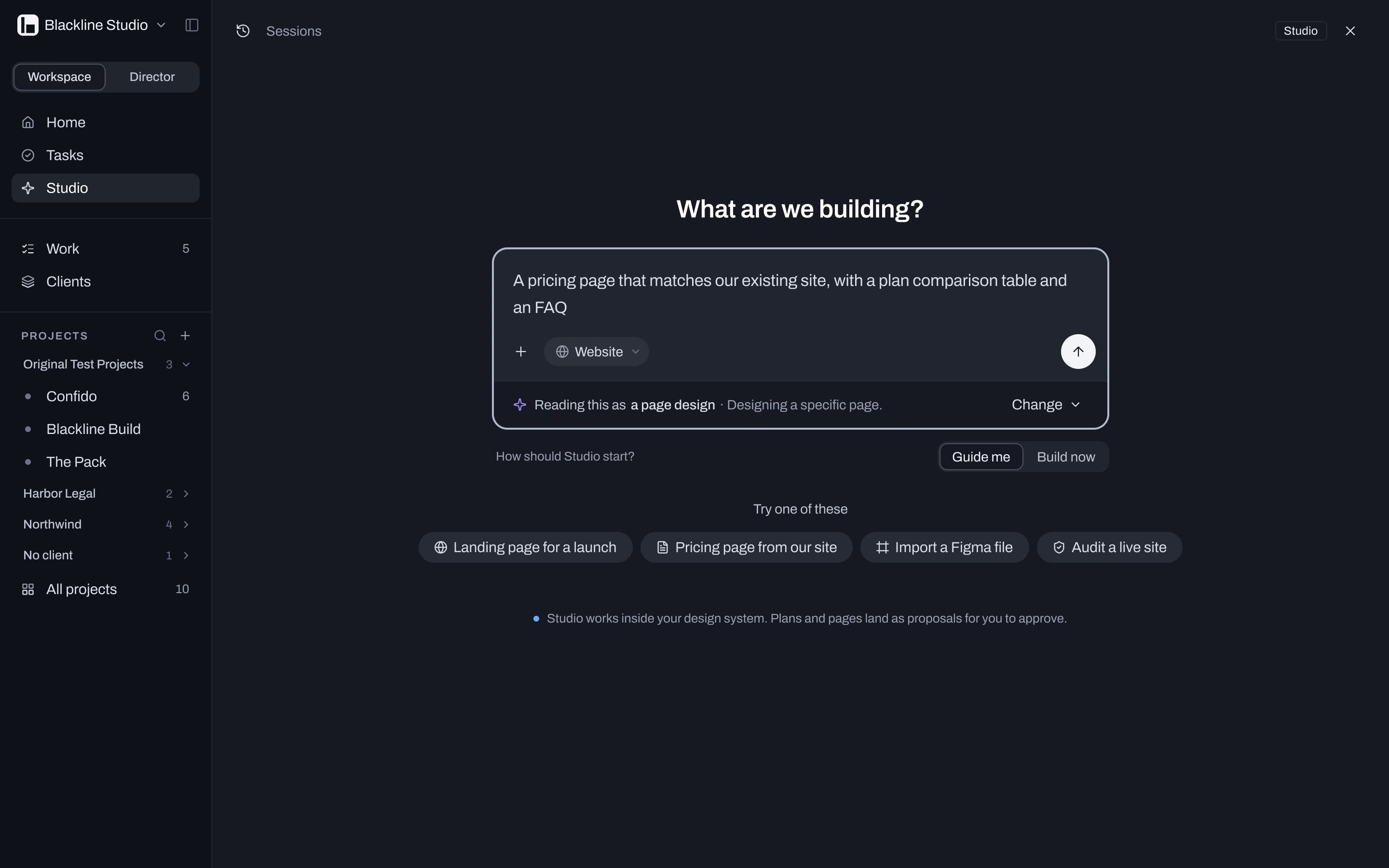
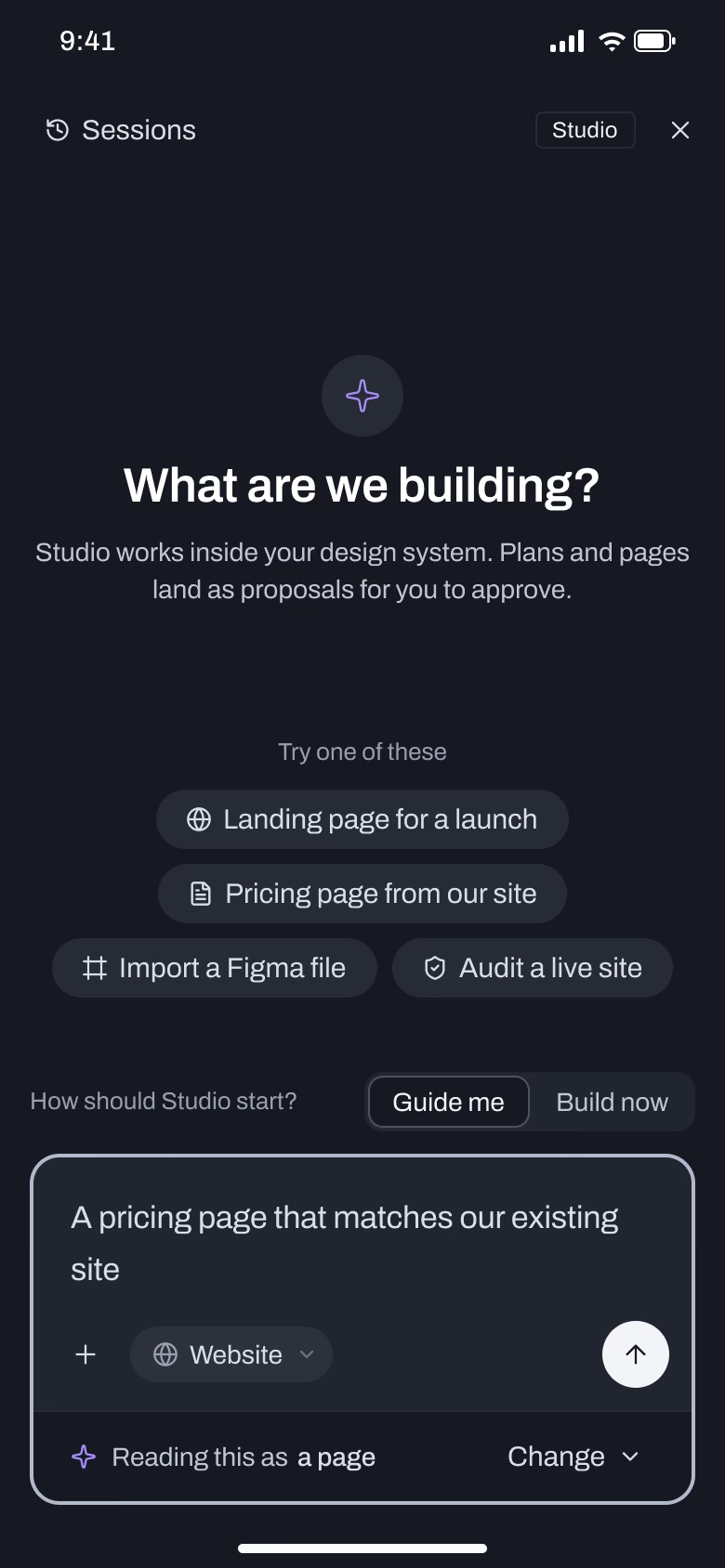
What are we building?
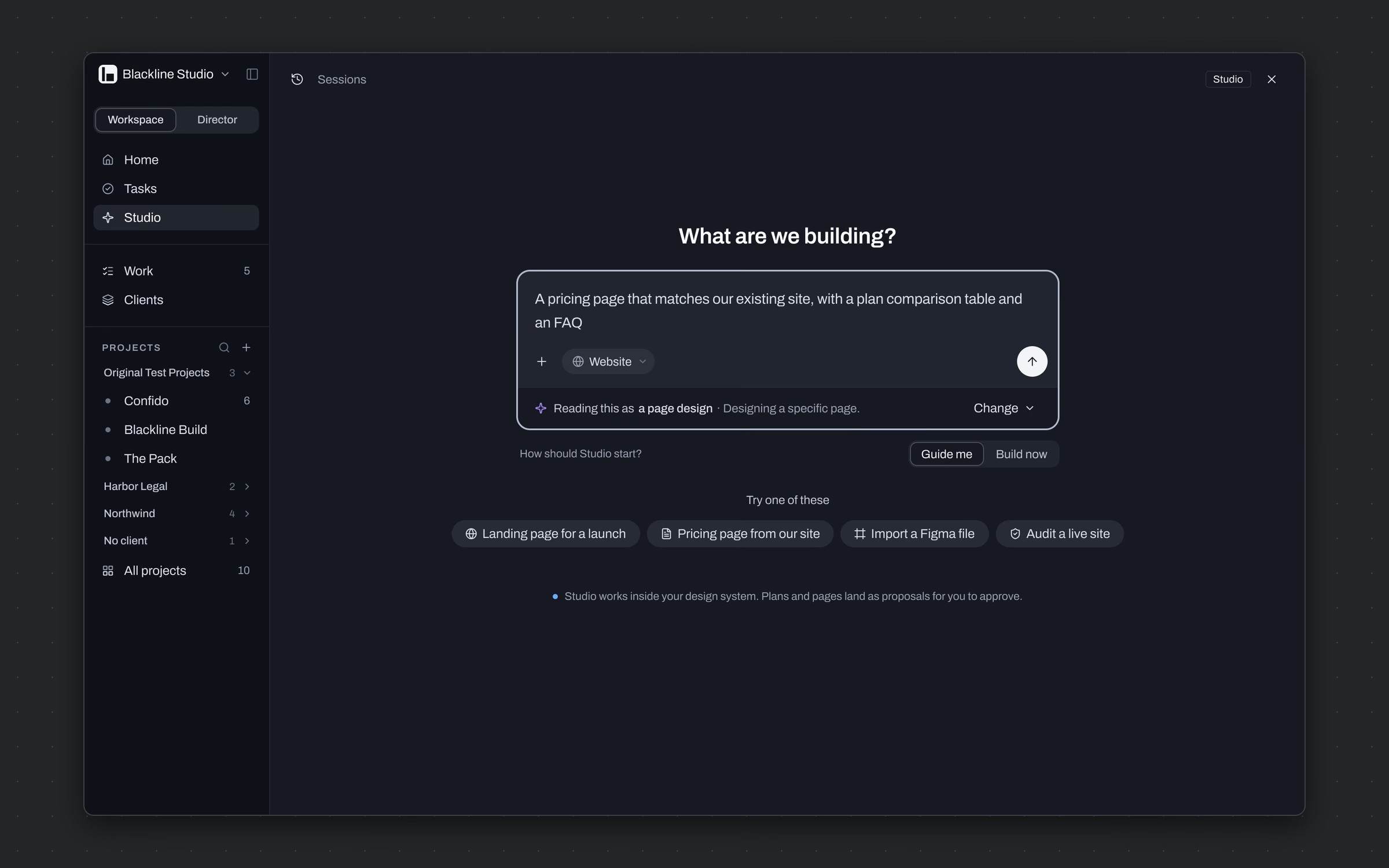
Start a project from one plain-language question instead of a setup wizard.
One composer asks what we're building, with a website type, attachments and a Figma link. Once there's text, Studio shows how it's reading the request, as a page design or a full site, and offers Guide me or Build now.
A brief becomes structured input on the first screen, and nobody fills in a form to get there.
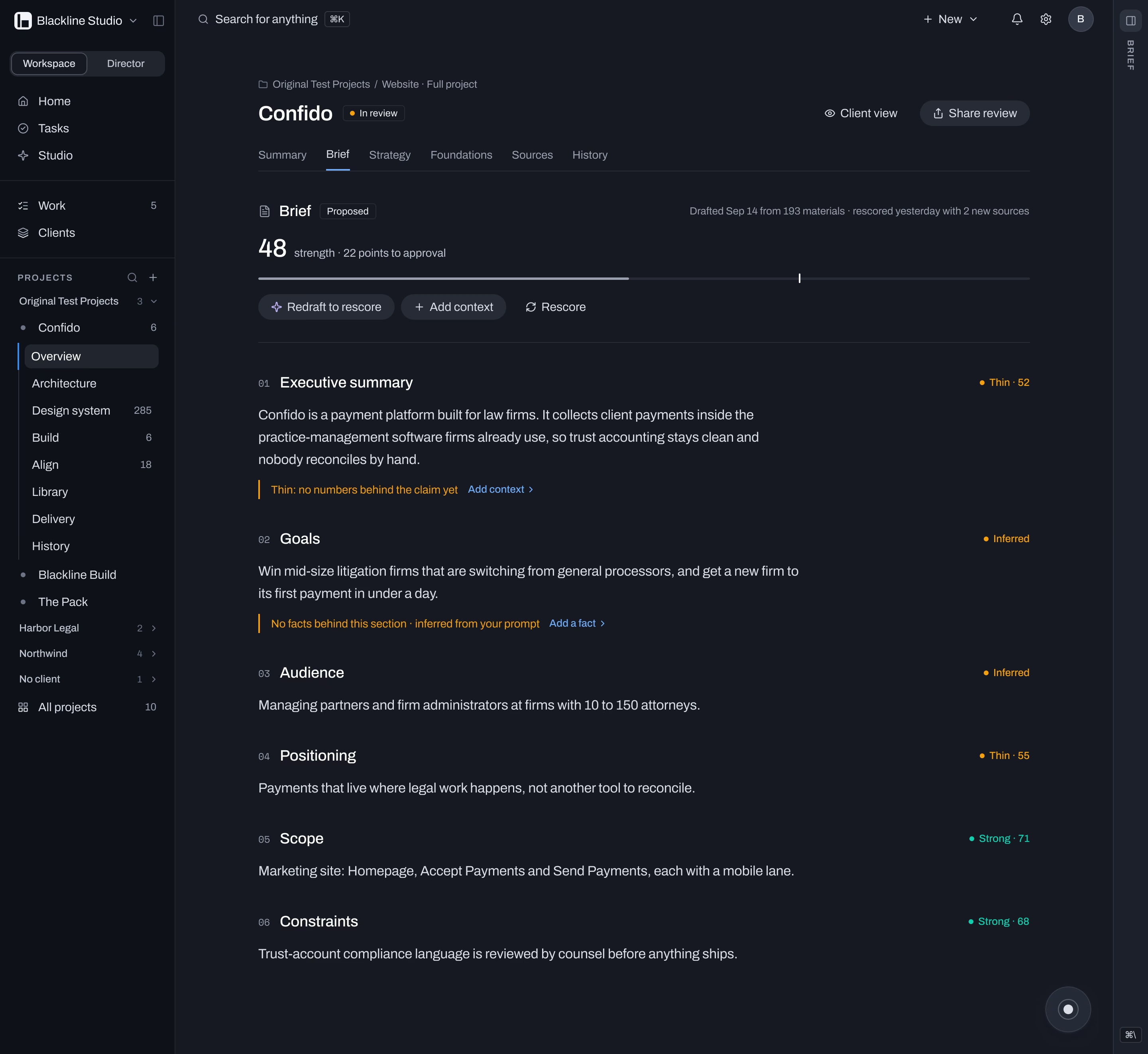
The brief, as a document
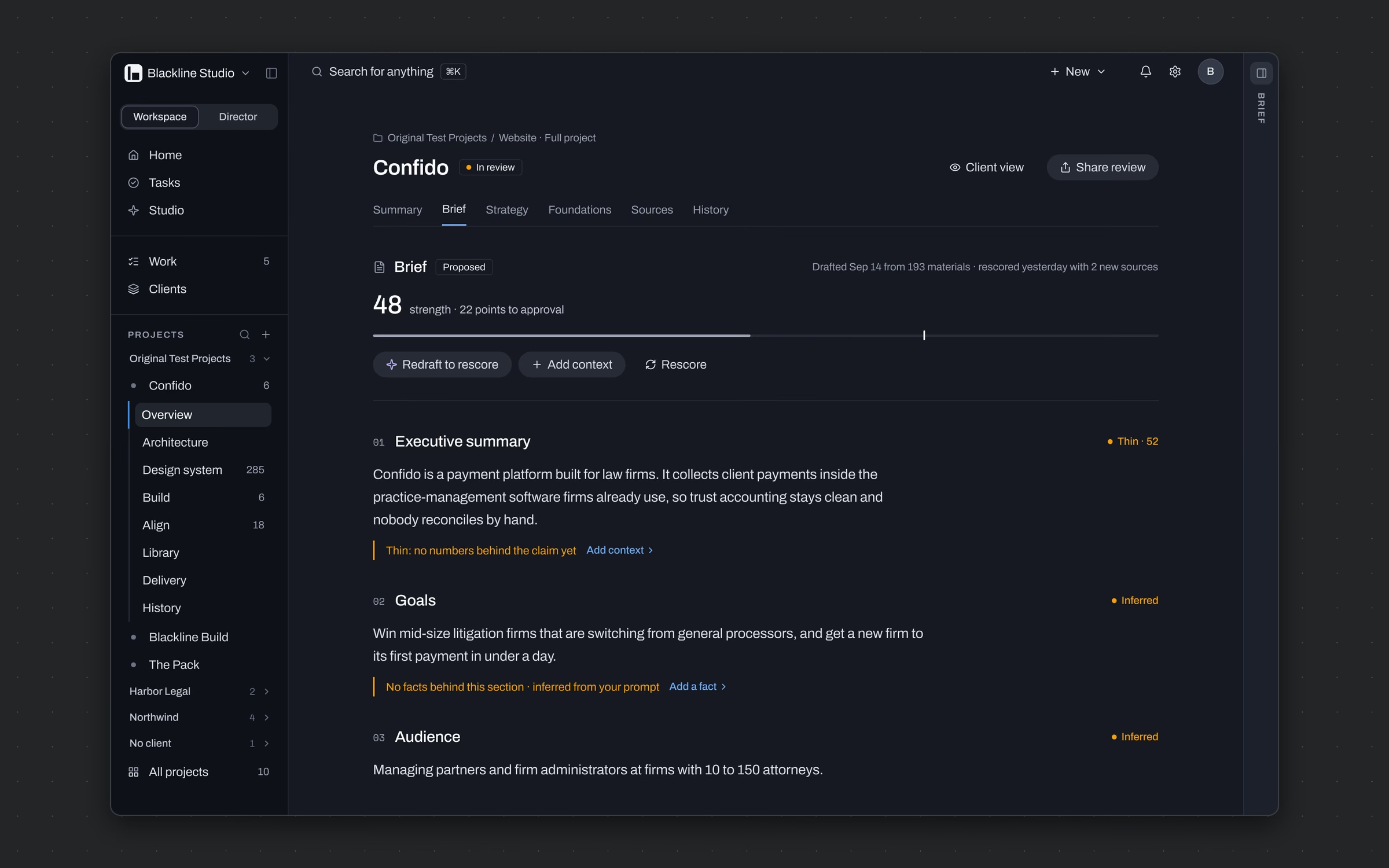
Make the brief something people read and approve, not a form they scroll past.
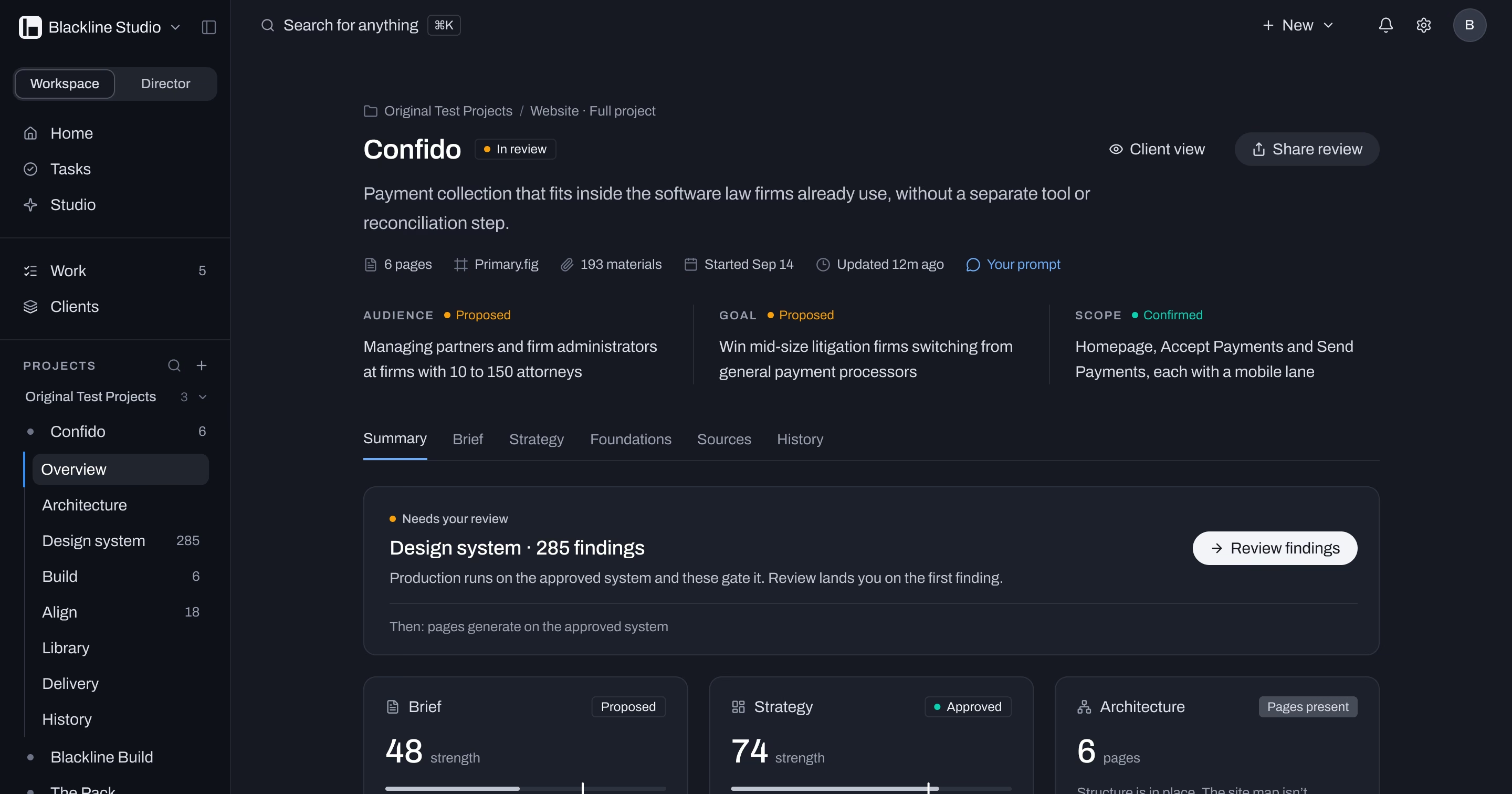
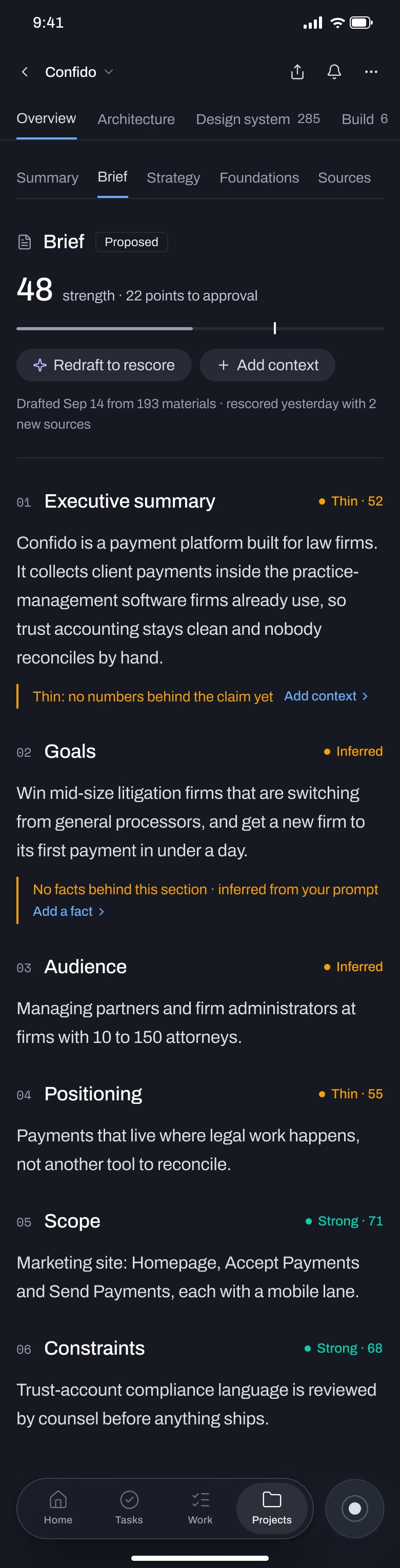
Brief and Strategy read as documents: a governance header with status and a strength score, then numbered sections in long-form type. Thin or inferred sections carry an amber rule that names the missing fact, so the gap is obvious and one click from fixed.
The brief shows its own strength. At 48 it's 22 points from approval, and it says exactly which sections are holding it back.
Drift, reviewed like a queue
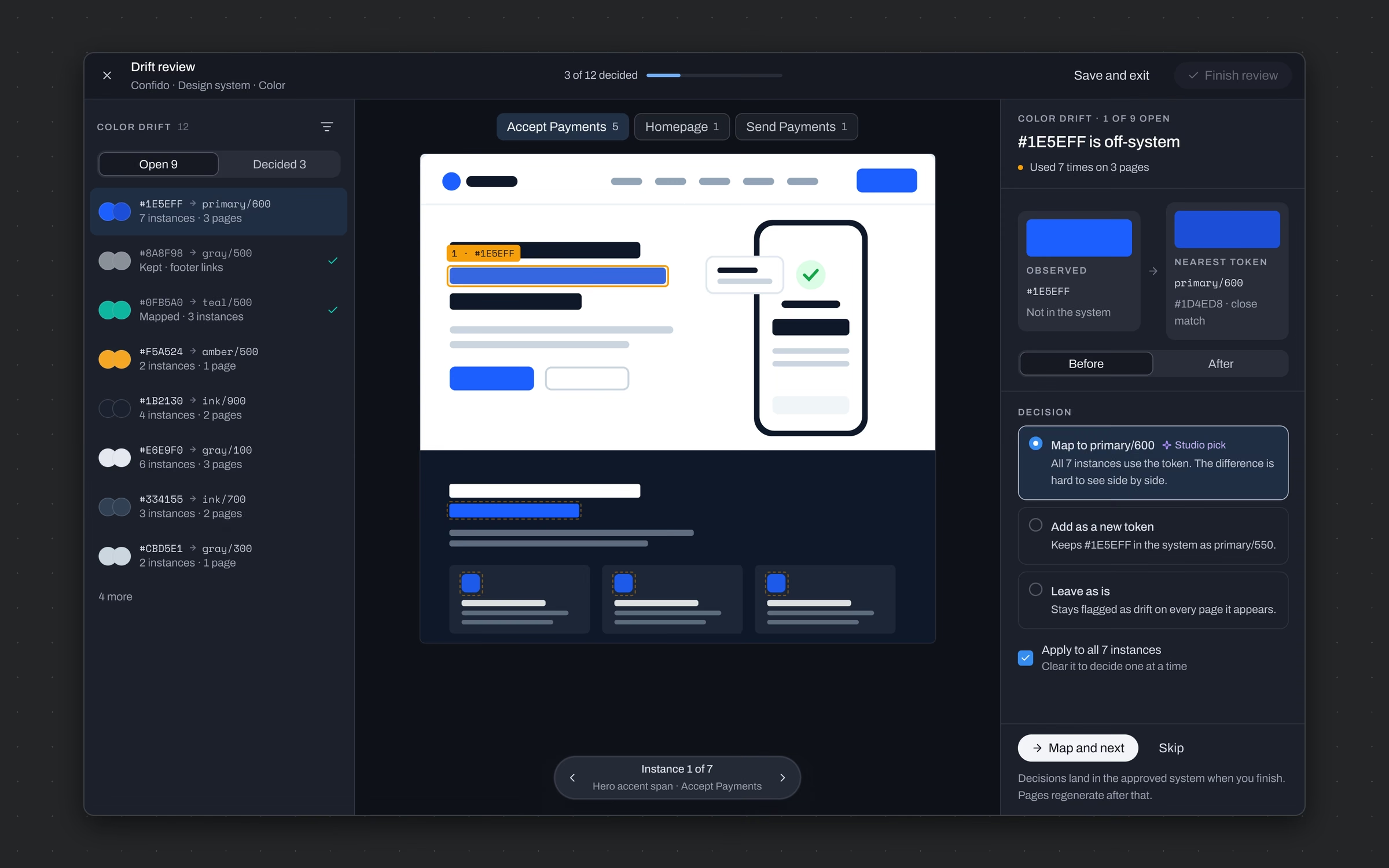
Catch the values that slip outside the design system and settle them in one pass.
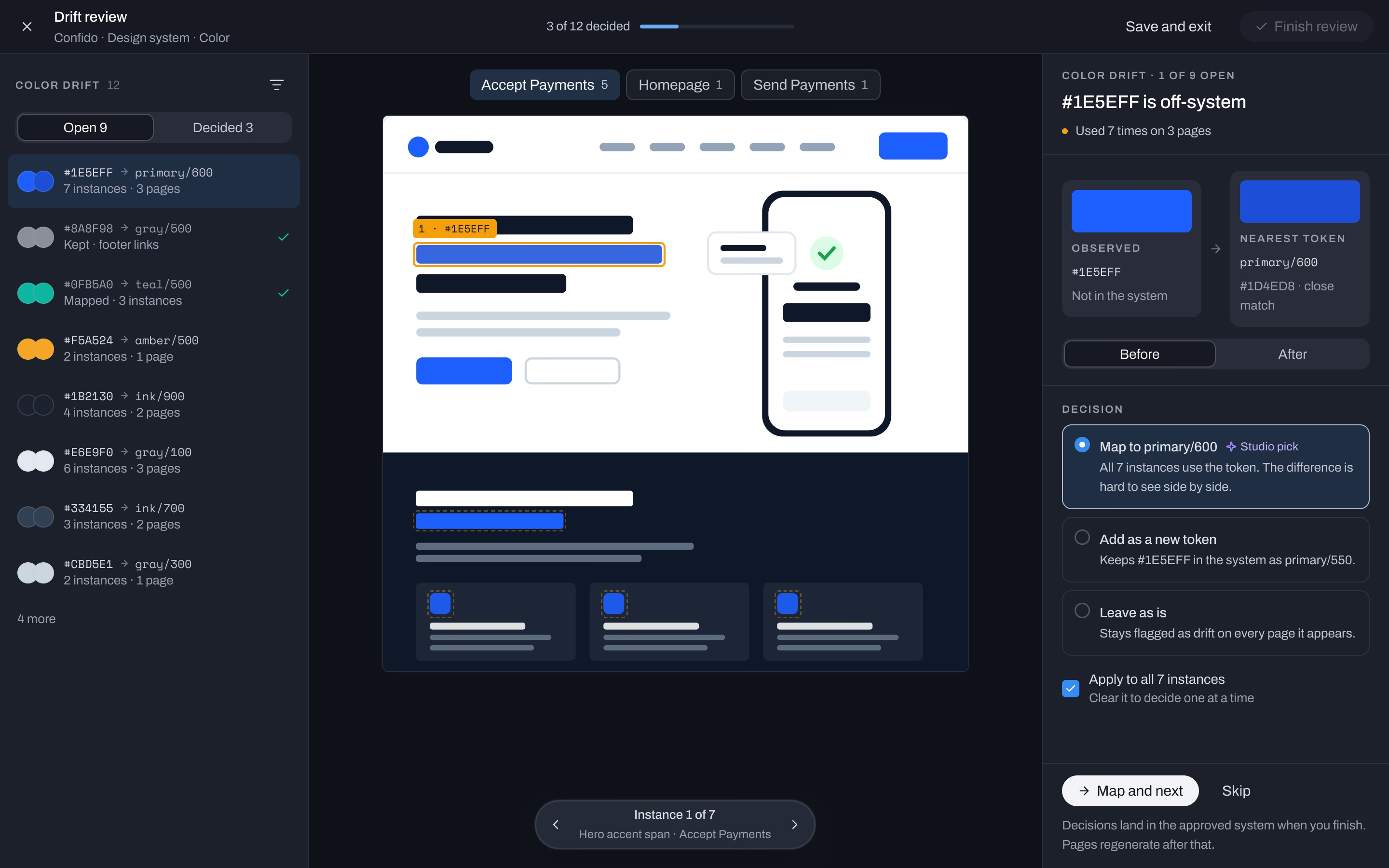
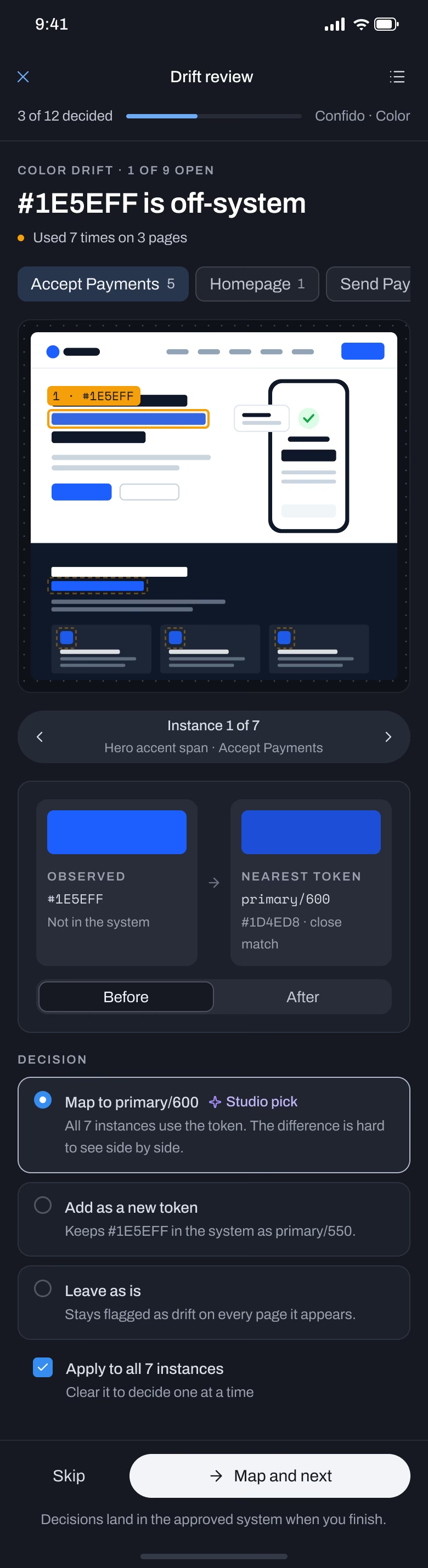
A focus view lists every off-system value with the nearest token beside it. The page shows each instance boxed, observed against nearest, with a before and after. Three decisions: map it to the token, which is Studio's pick, add it as a new token, or leave it and keep flagging it.
Seven instances of an off-system blue fixed with one decision, and the system stays the thing that ships.
Build, where pages become versions
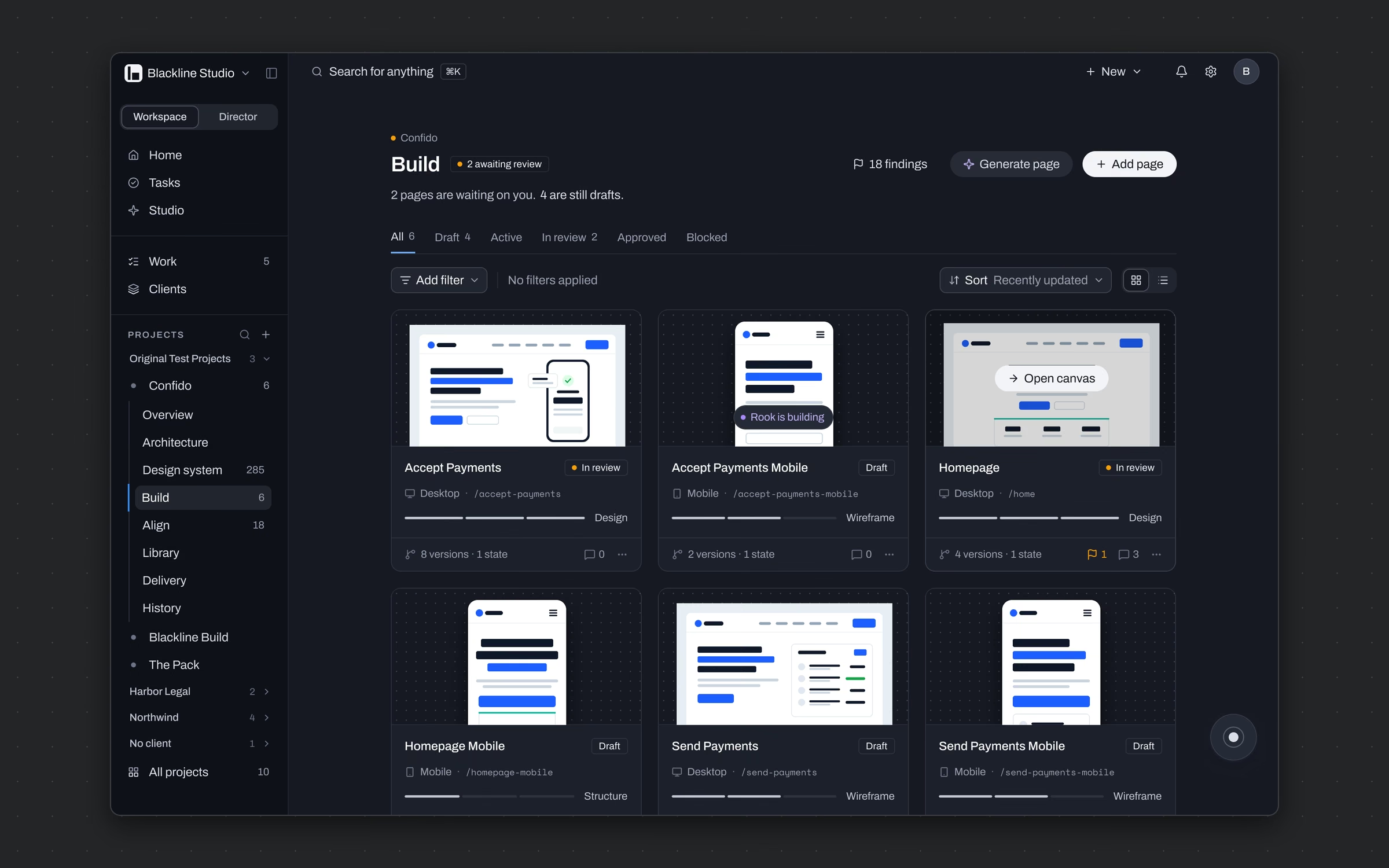
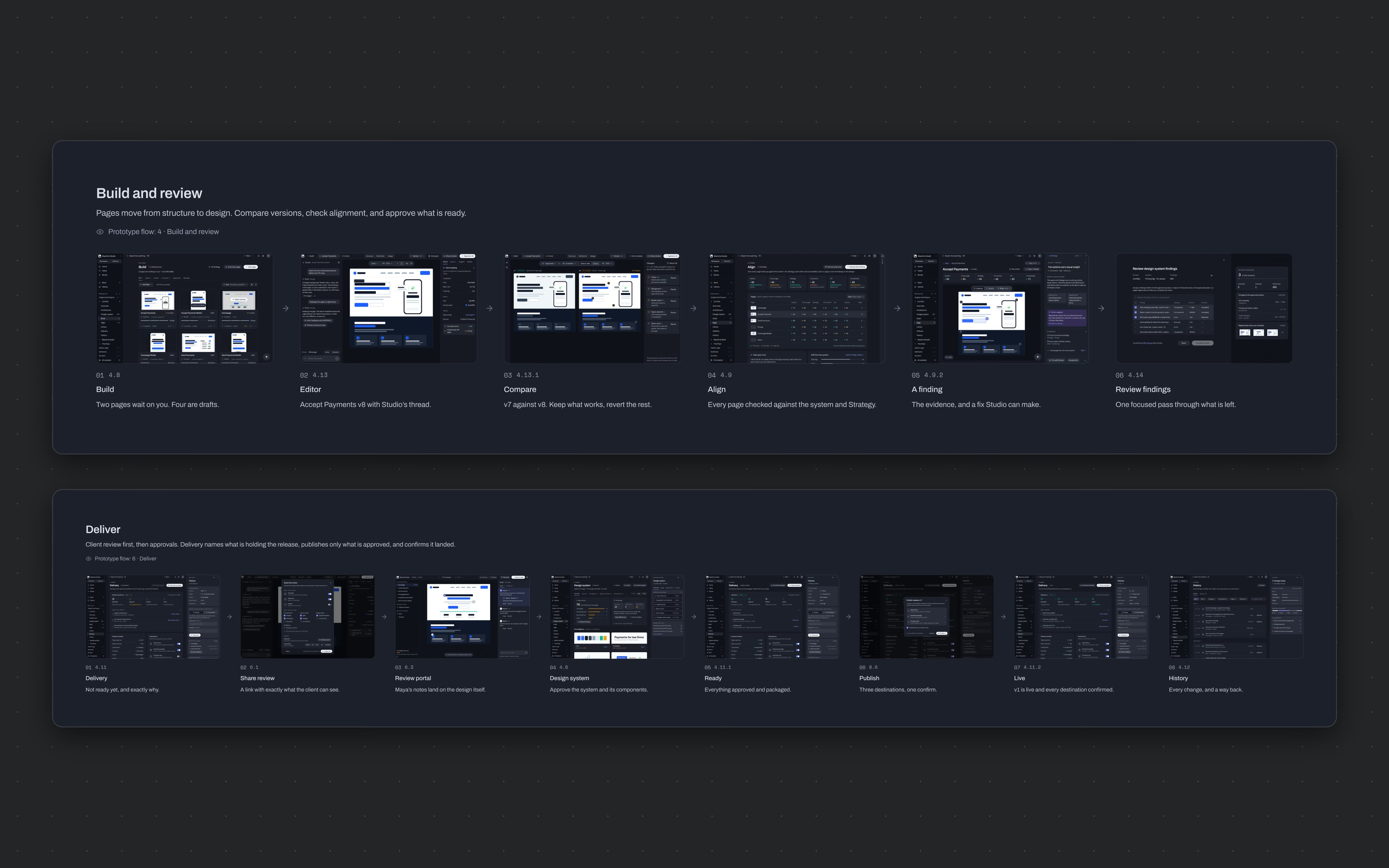
Show every page's state at a glance: what's waiting on you, what's a draft and what Studio is building.
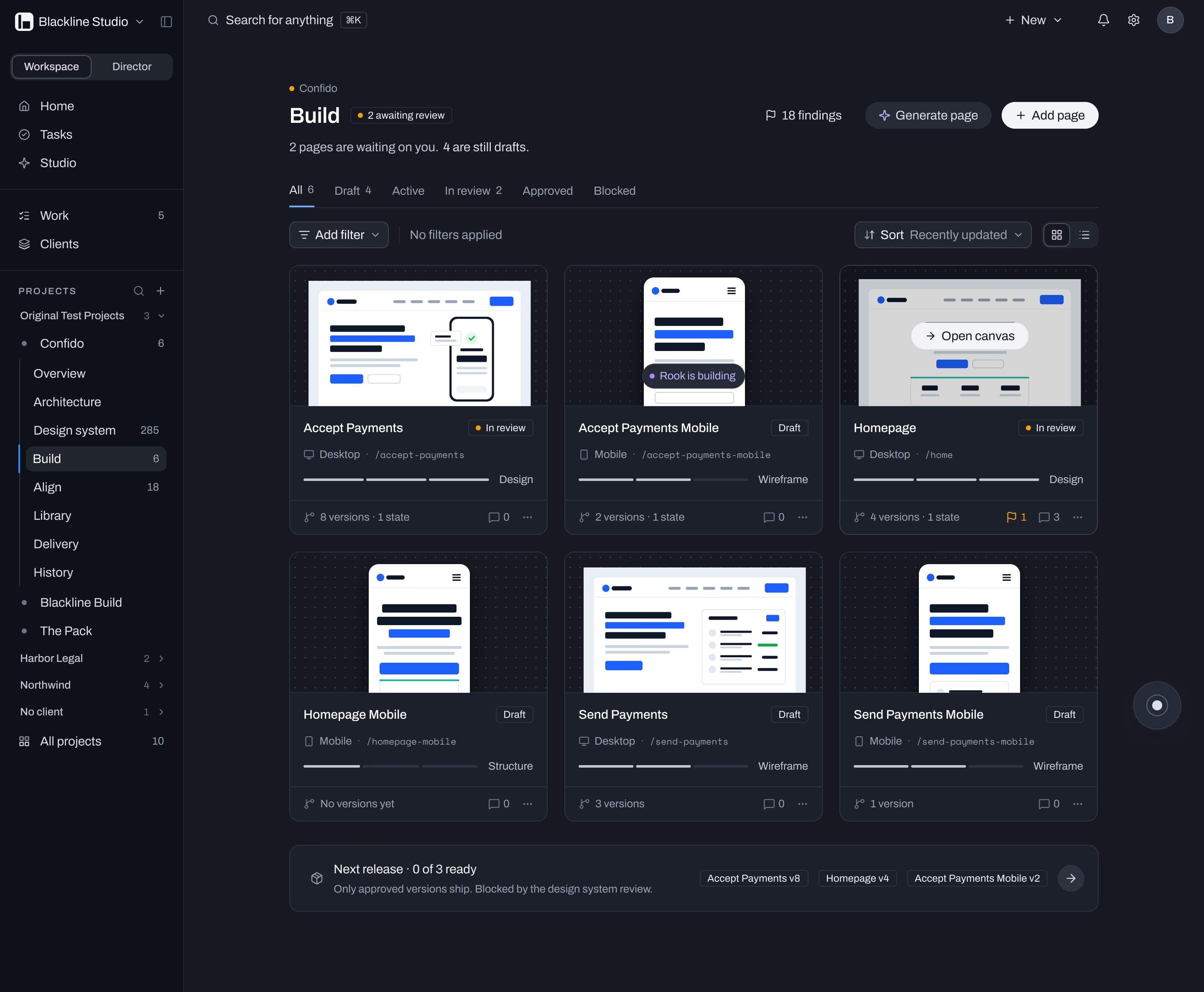
Pages sit as cards with their versions, lane and status. Rook's live build shows in violet on the card it's working on. A release bar at the bottom names what's ready and what's blocking it.
Two pages waiting on you, four drafts, nothing hidden. The next release is 0 of 3 ready, and the page says why.
Every page, scored before it ships
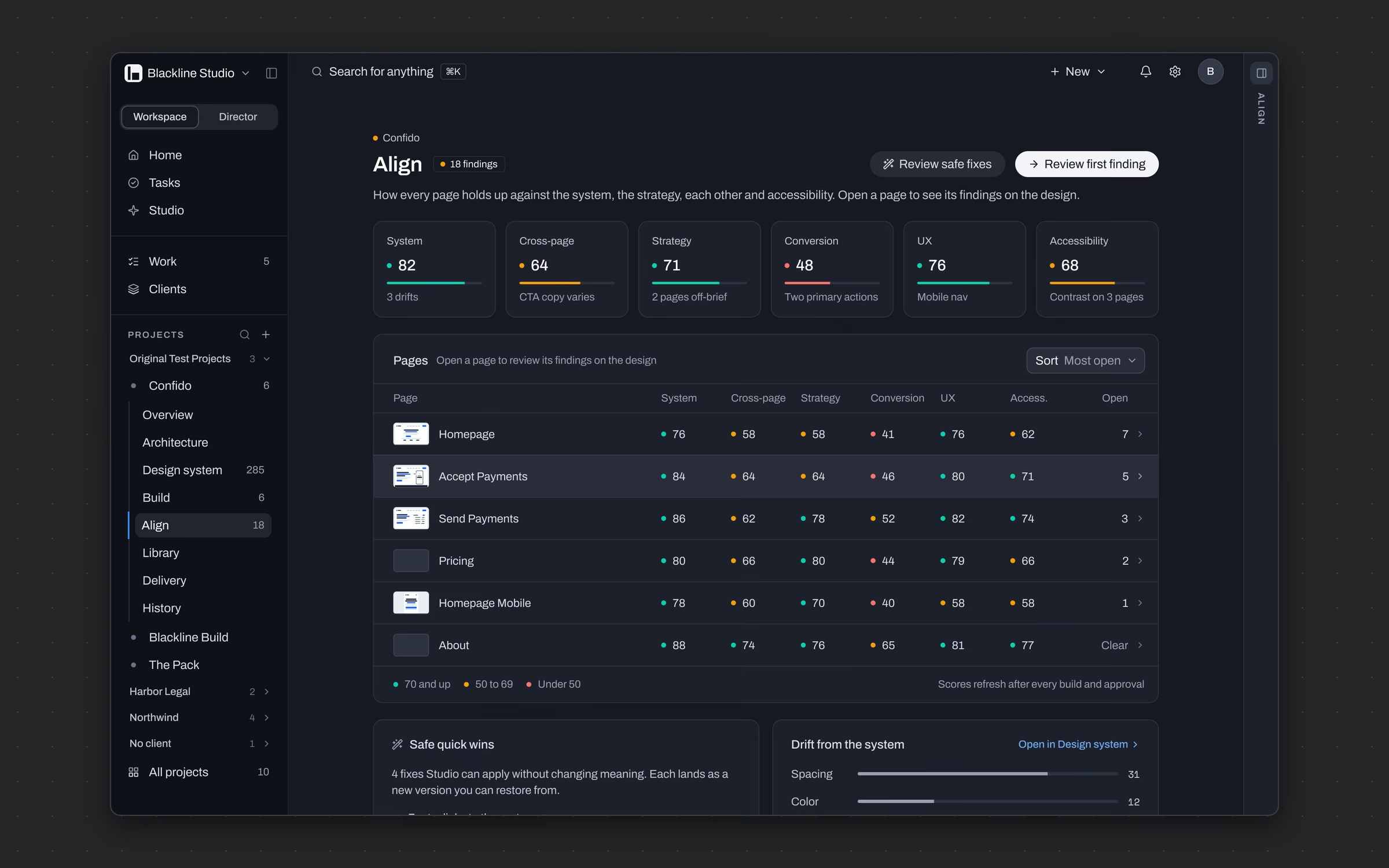
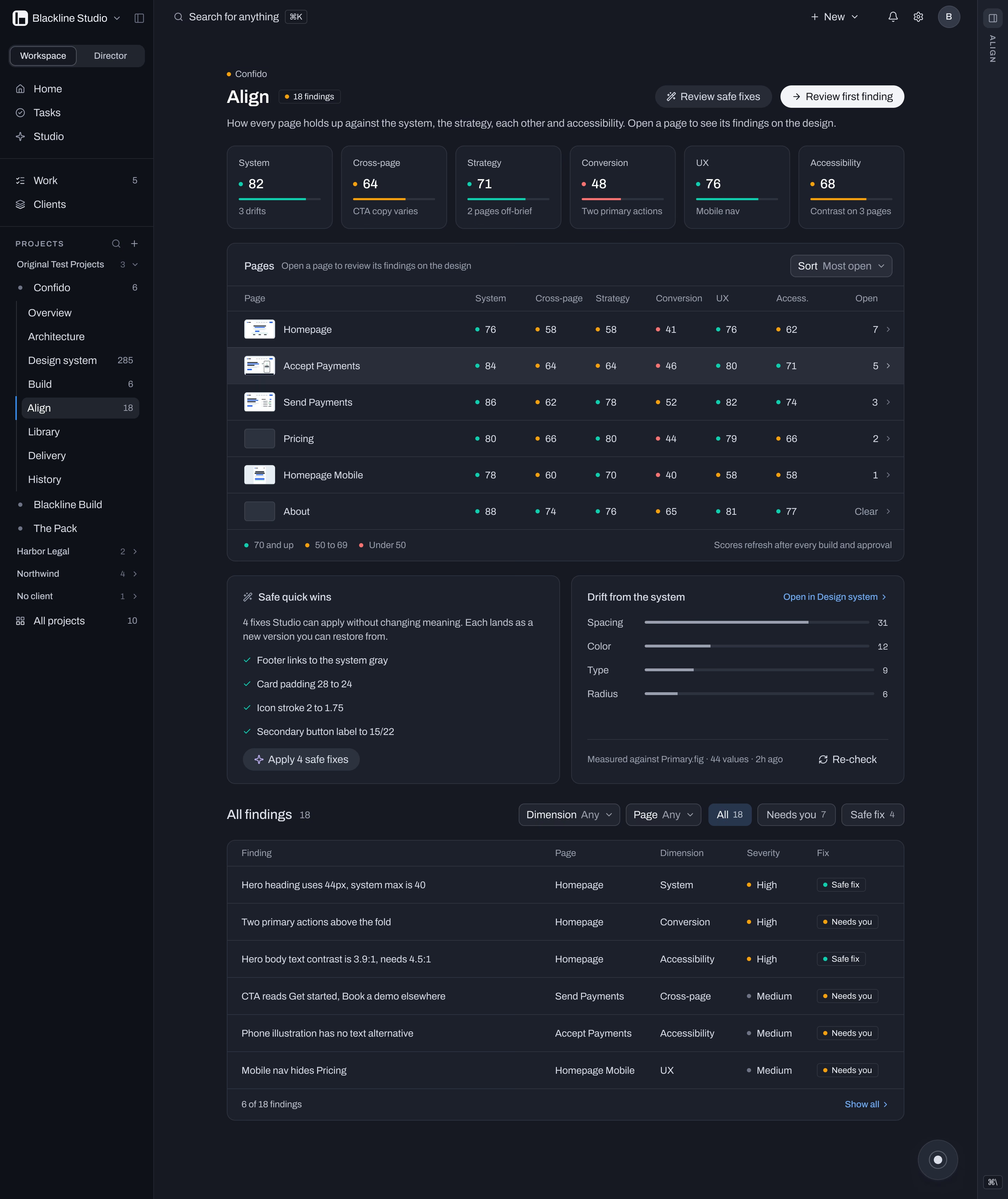
Tell a team how well every page holds up against the system, the strategy, each other and accessibility.
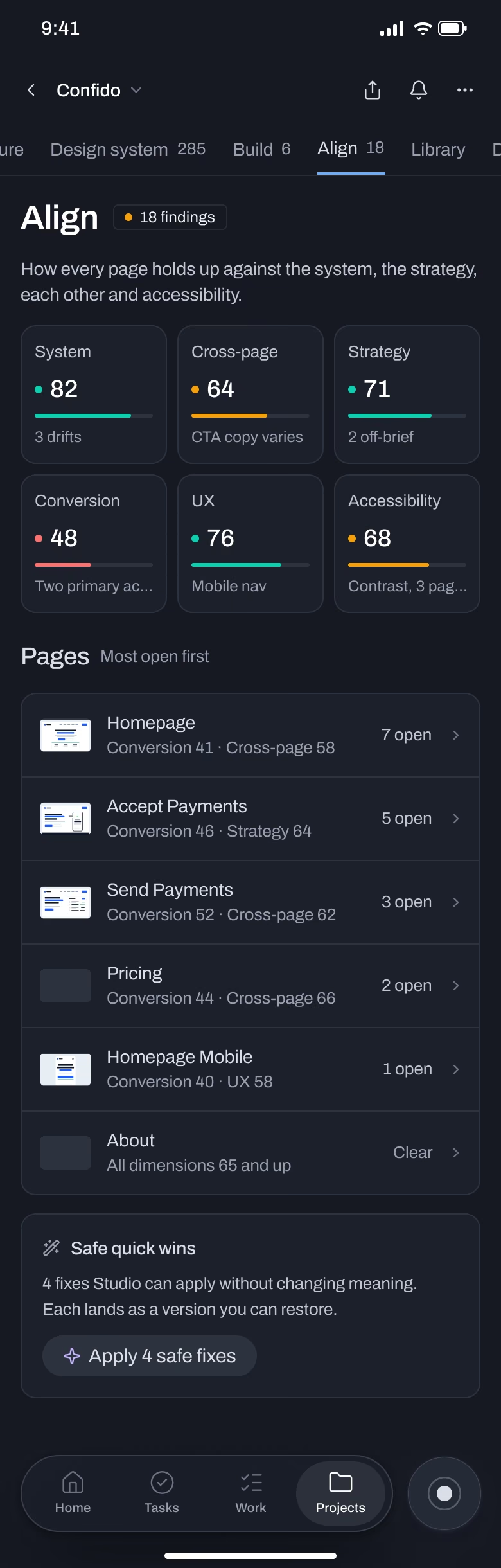
Six dimensions scored per page: system, cross-page, strategy, conversion, UX and accessibility. A matrix colors each score teal, amber or red. Fixes that don't change meaning can go to Studio in one click; anything else needs a person.
Eighteen findings on one screen, sorted by what needs you, with four safe fixes ready to apply.
Client review in a portal
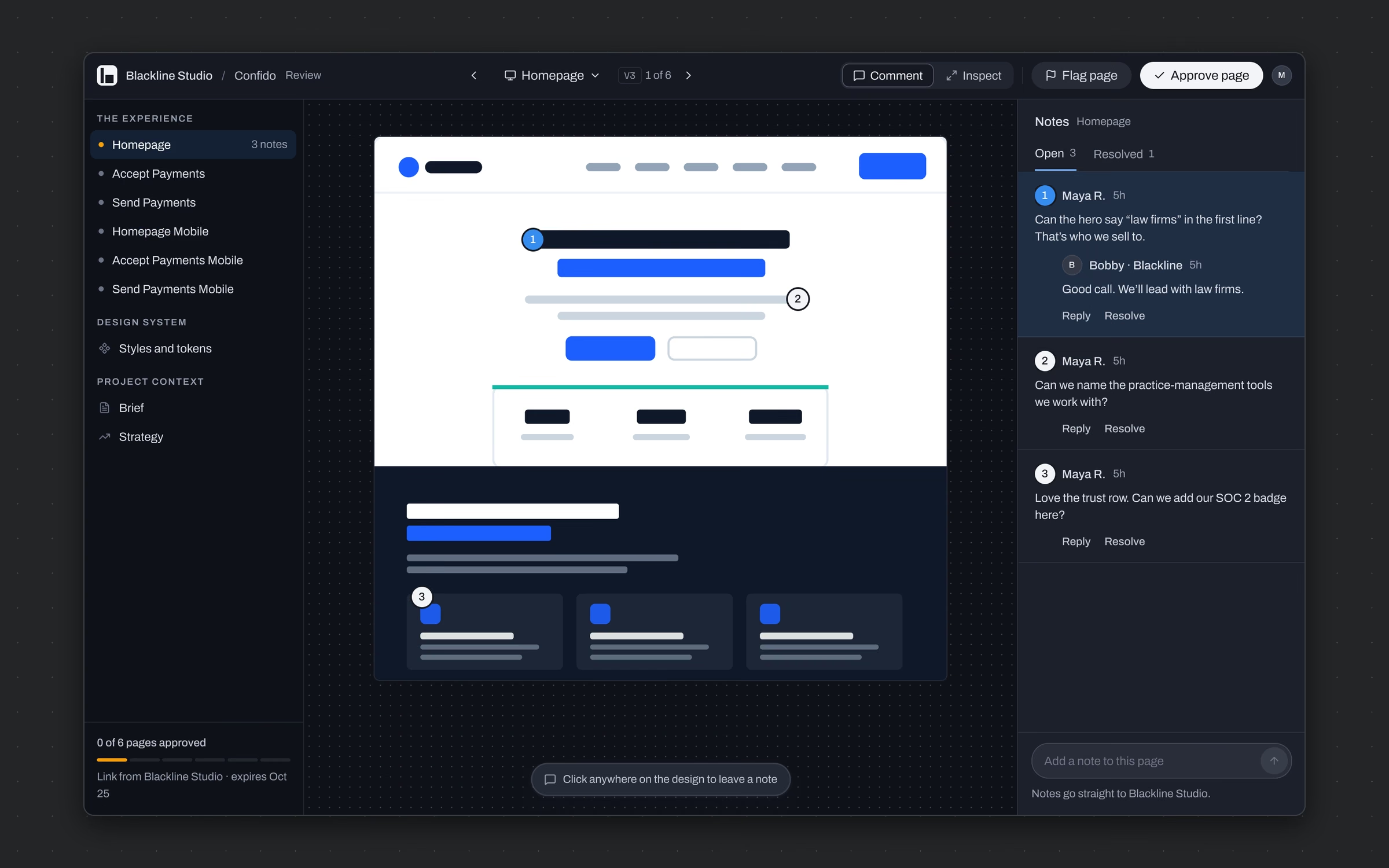
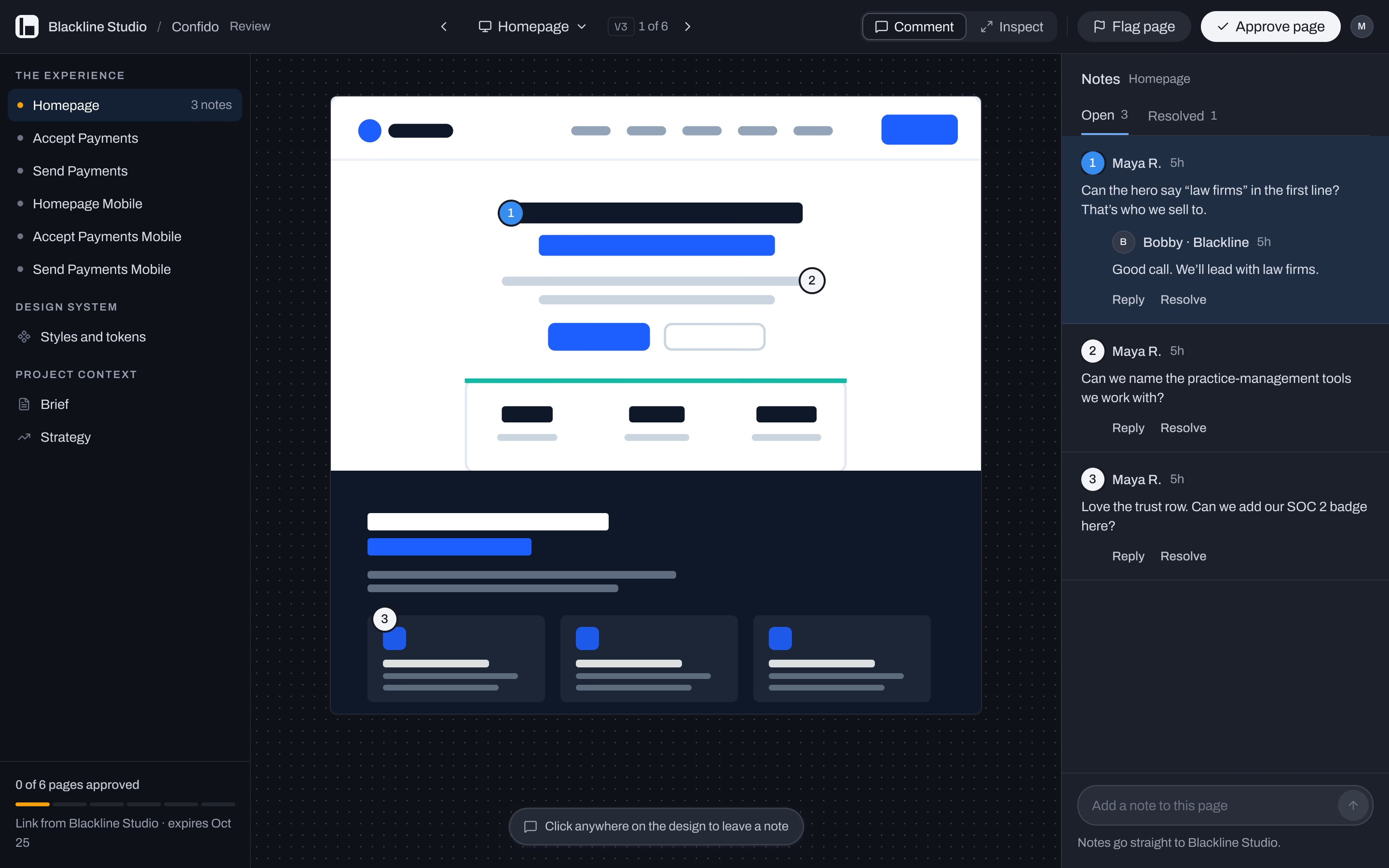
Give clients one place to review the real pages, leave notes on the design and approve, without an email thread.
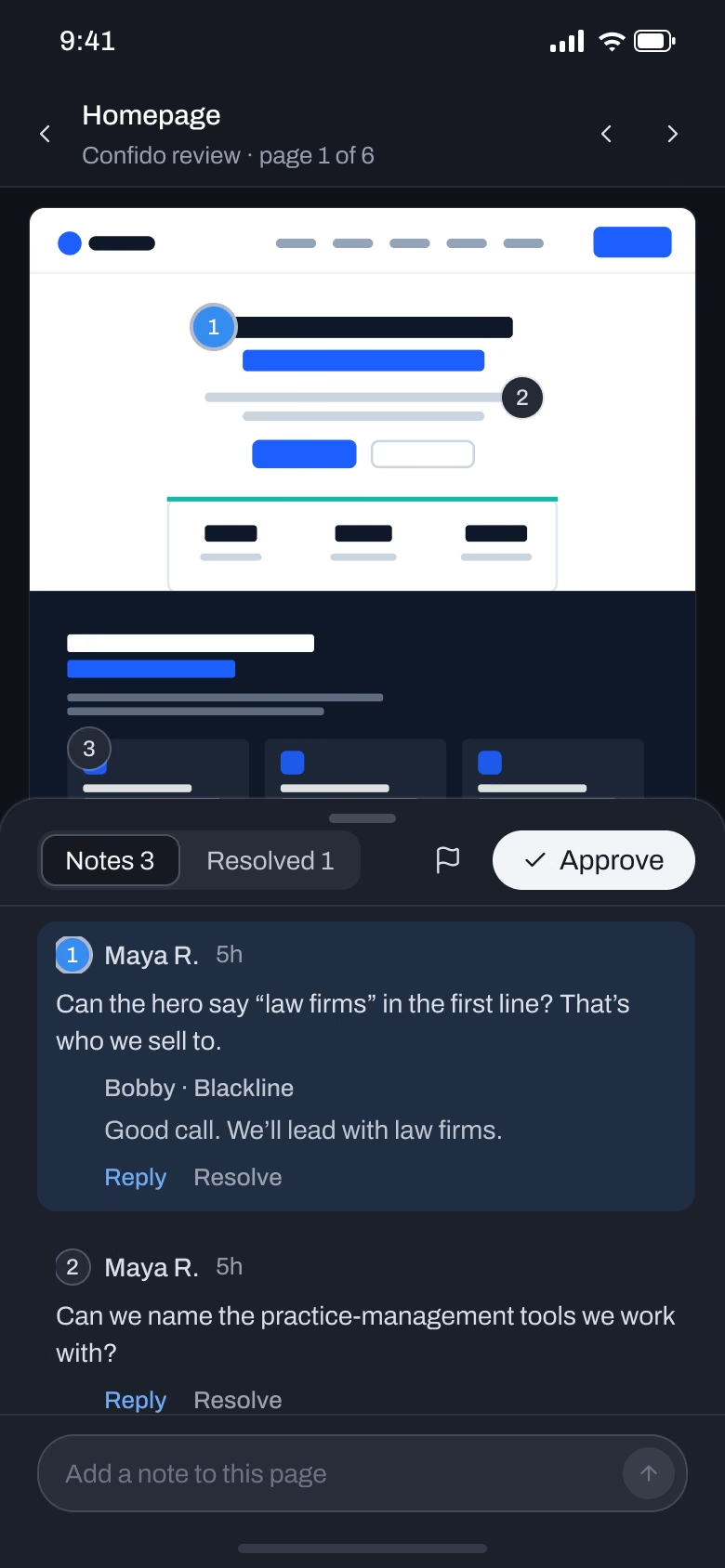
A shared link opens a portal with the six pages, the design system and the project context. Notes pin to the design itself, replies stay in the thread, and each page gets its own approval.
Maya's three notes land on the homepage instead of in an inbox, and the team answers them where they were left.
Studio, run by voice
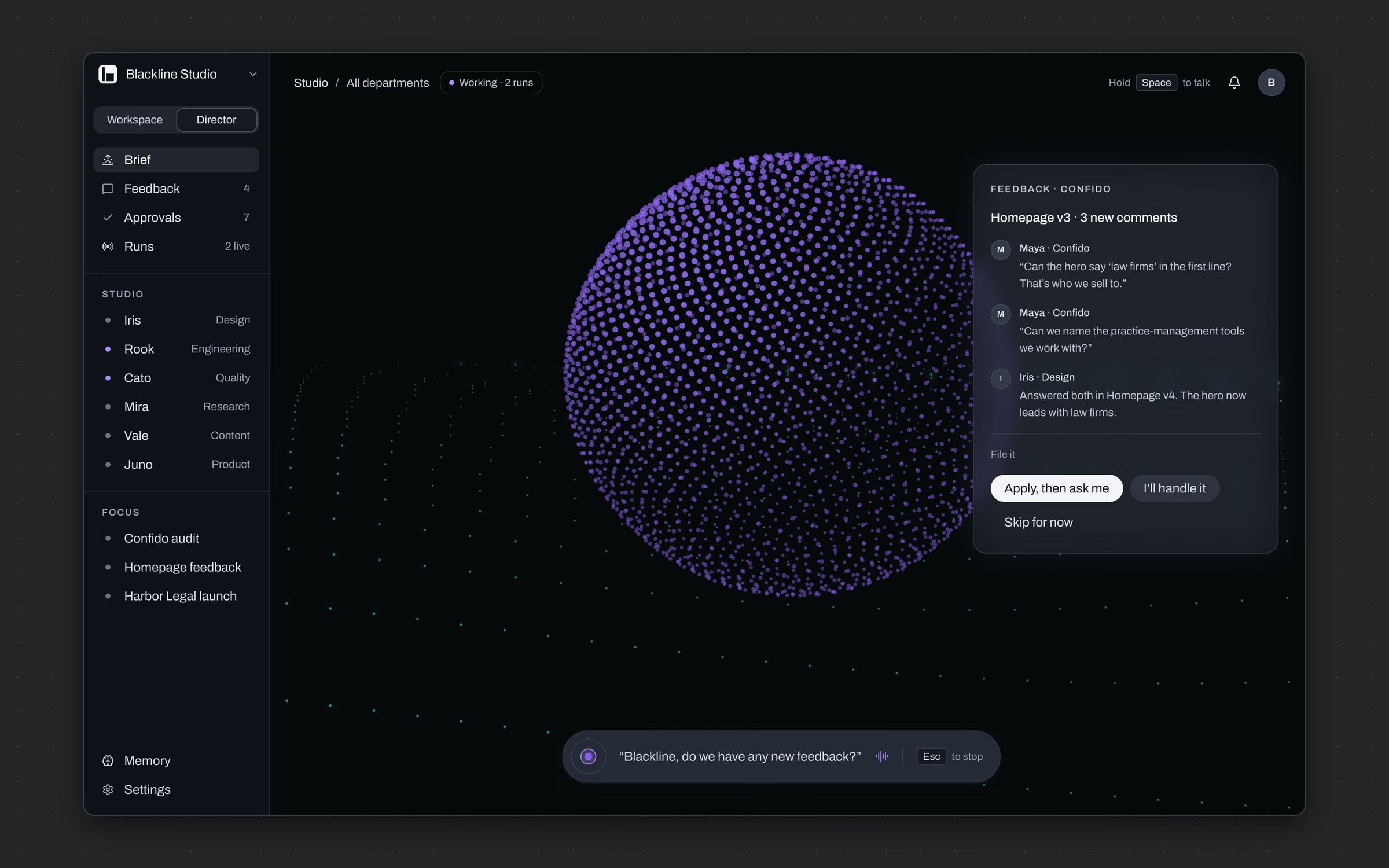
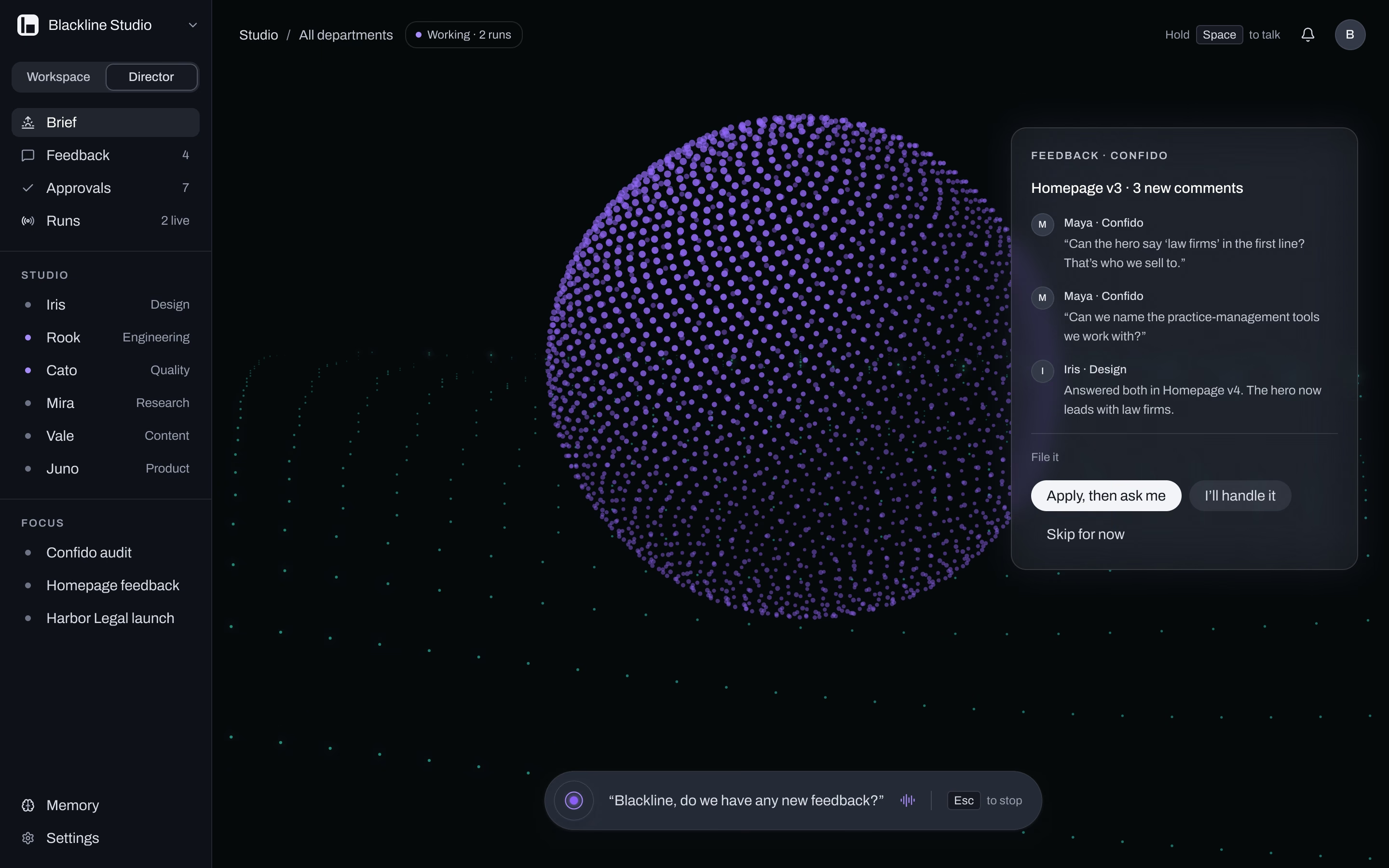
Let an agency lead run the studio and see what every AI worker is doing without opening a single project.
Director mode swaps the workspace for a view of the studio itself: the agents and their jobs, feedback waiting, approvals and runs. Ask out loud and the answer comes back as a card you can act on. Violet means Studio is working, everywhere, and it always carries the sparkle.
Three client comments on Homepage v3 surfaced by asking one question, with the fix ready to apply or hand back.
Every page on the phone
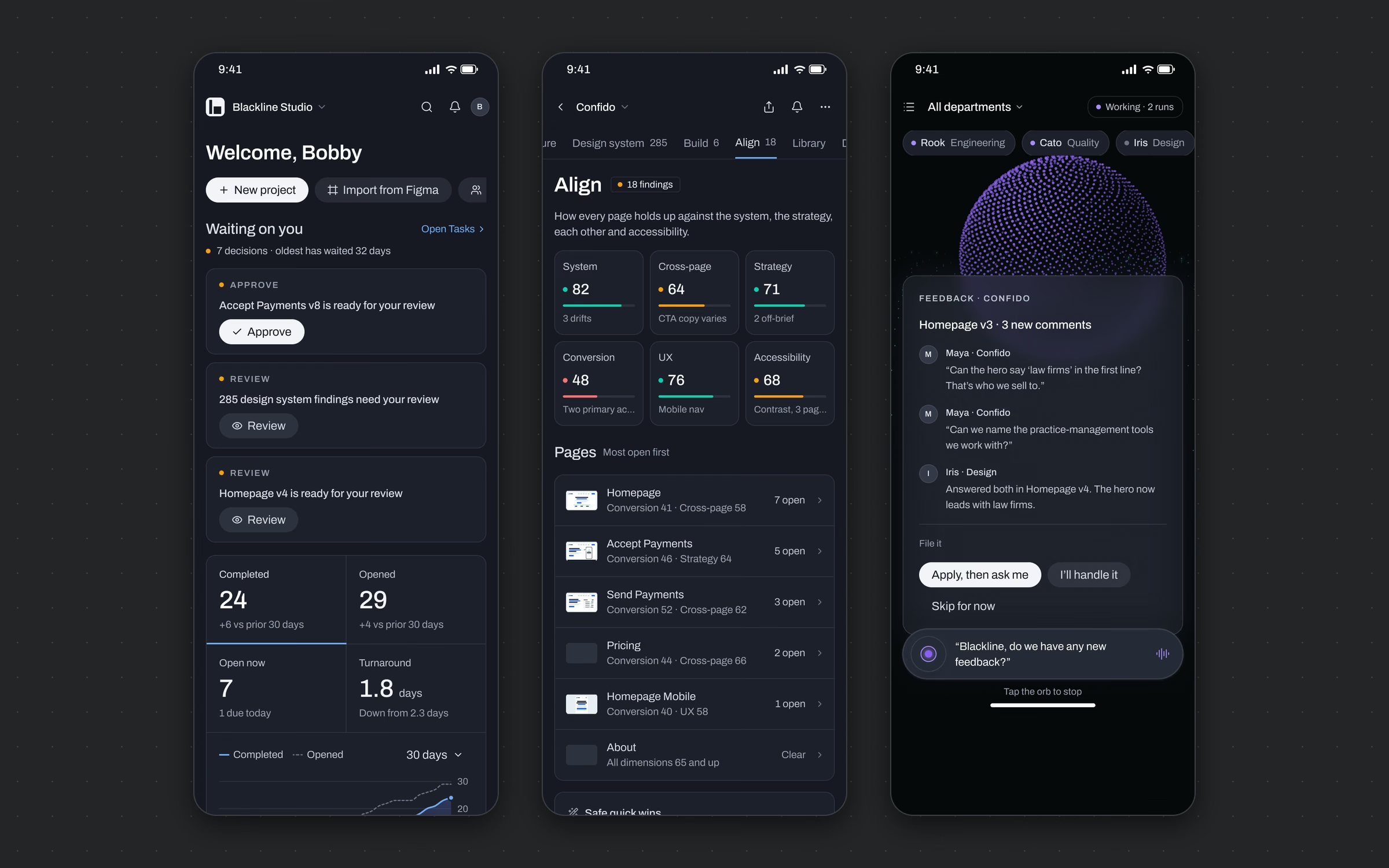


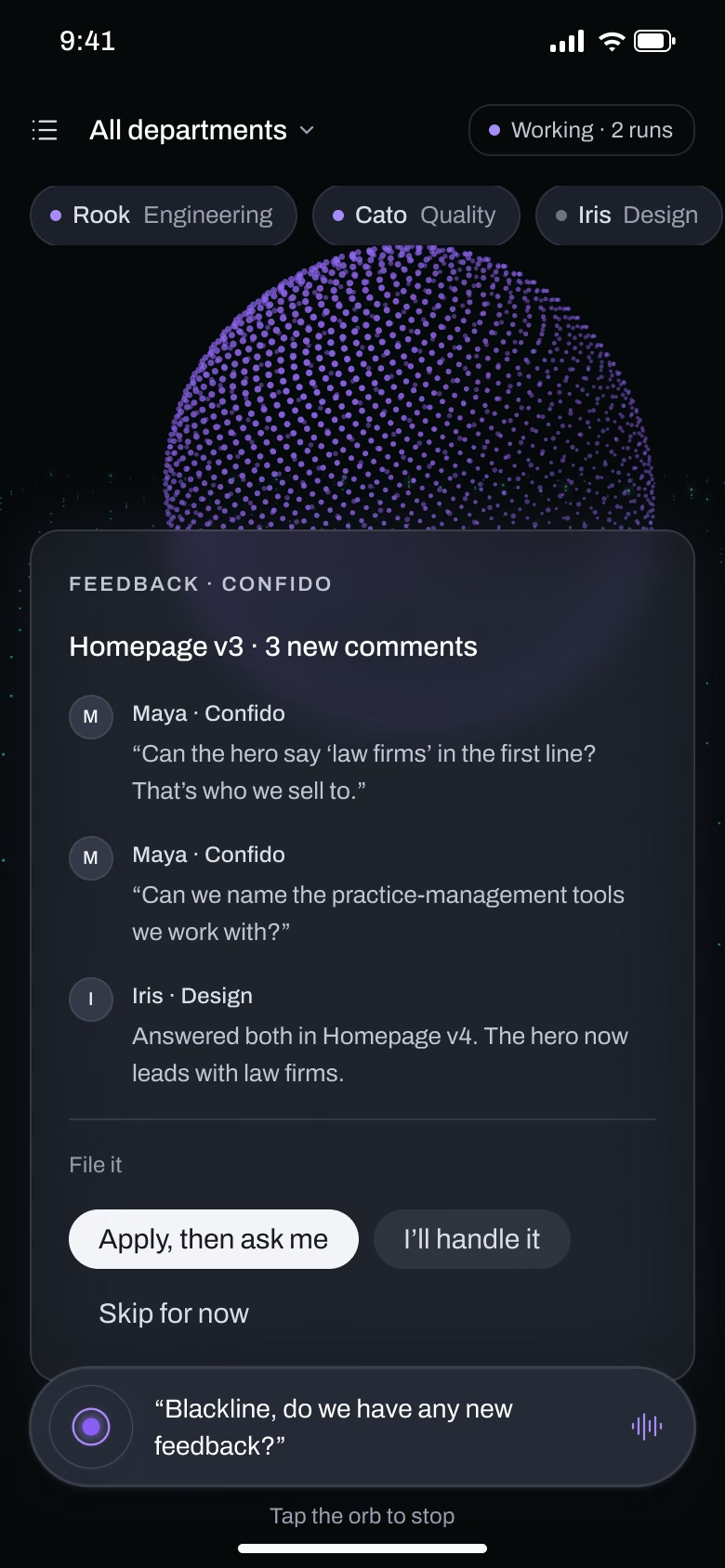
Carry the whole product to 390 without shrinking the desktop.
A floating glass dock holds Home, Tasks, Work and Projects, with the Studio orb beside it. Records open as sheets, headers stay pinned, and the phone leads with decisions: what's waiting on you first, numbers second. Editing tokens stays a desk job on purpose.
53 phone screens, designed in the same file and telling the same story as desktop.
[ The system underneath ]
[ Results ]
130+ | Screens across desktop and phone 9 | Journeys, each a working prototype flow 5 | Surface types, one job each 1 | Color that means AI, and only AI
The redesign turns a tool that worked into a product that reads like one. An agency owner opens Home and sees what's waiting on them, what Studio is doing and where every project sits, all on one screen. Every AI action is violet, and every decision opens where it lives. It's being built into production now, screen by screen, on the same token layer shown here.
What I carry forward
Designing my own product was harder than designing for clients, because nobody tells you no. The fix was the same discipline I bring to client work: a color budget, one job per surface, and a continuity review that treats a wrong count as a bug.