RouteMe.AI: Wayfinding through the camera
The consumer-facing RouteMe app (route discovery, camera permissions, AR guidance and on-route assistance), redesigned for speed, clarity and safety in motion.
Turn-by-turn guidance anchored in the camera view: the consumer half of the RouteMe wayfinding system, redesigned end to end.
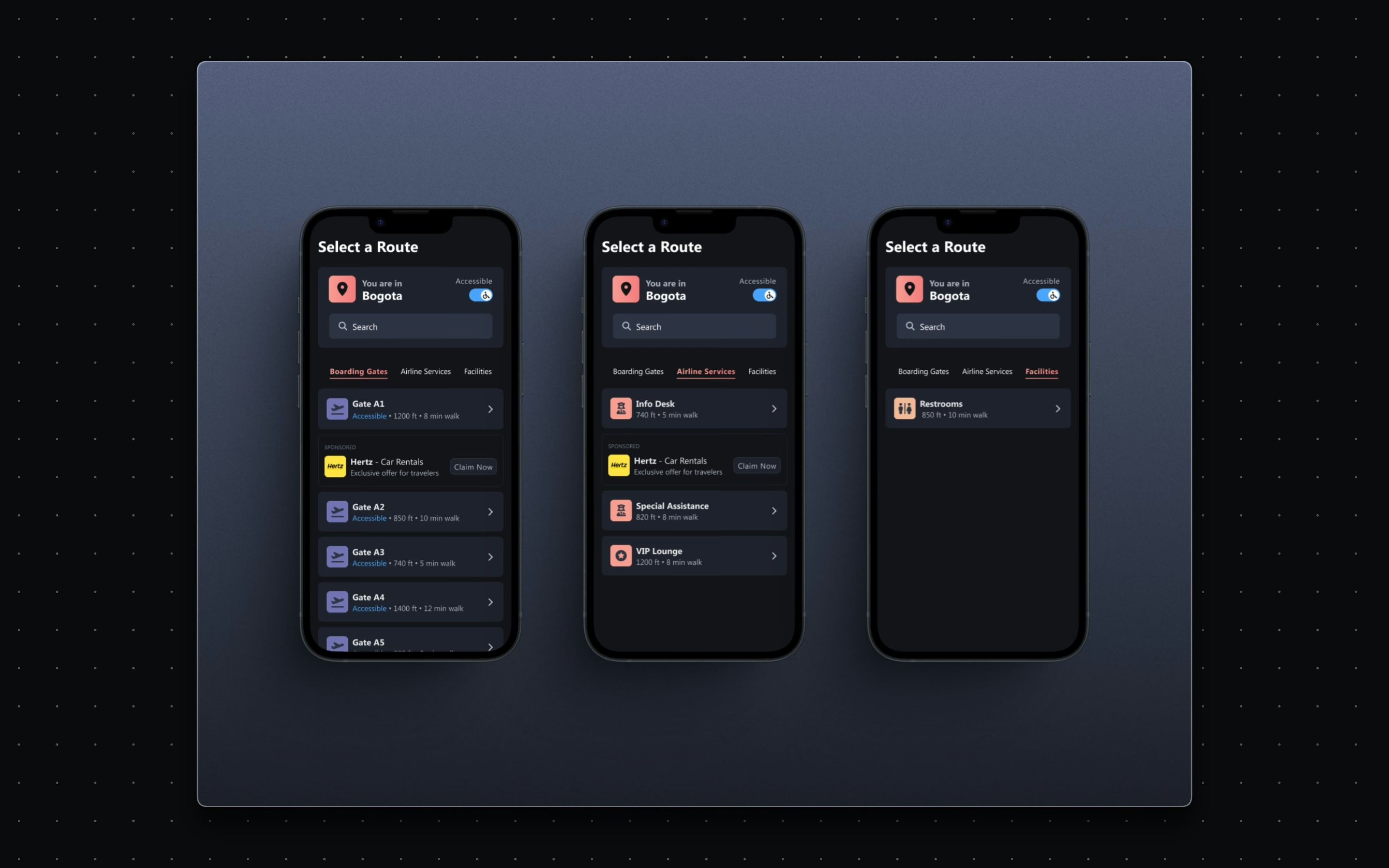
[ The problem ]
Indoor navigation fails where GPS gives up: hospitals, campuses, airports. RouteMe answers with AI and AR, but an AR interface used while walking has zero tolerance for clutter or ambiguity. The consumer app had to feel fast and safe for someone moving through a complex building, holding a phone up to the world.
[ Goals ]
Frictionless entry - camera and motion permissions that ease people in. Anchored guidance - an arrow and markers that live in the environment, not on a map. Minimal load - timely cues that support natural movement. A closed loop - help and feedback without leaving the route.
Approach
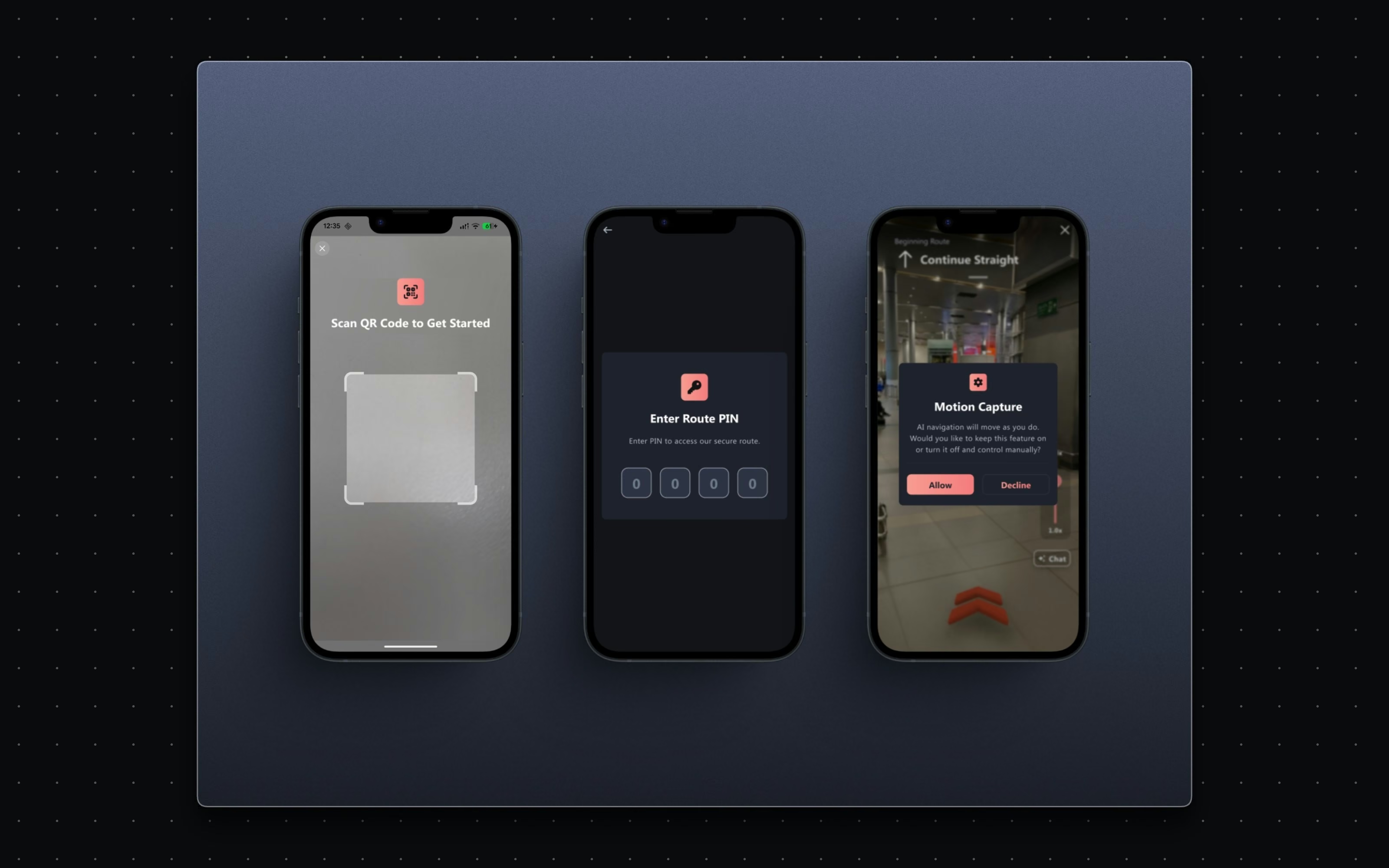
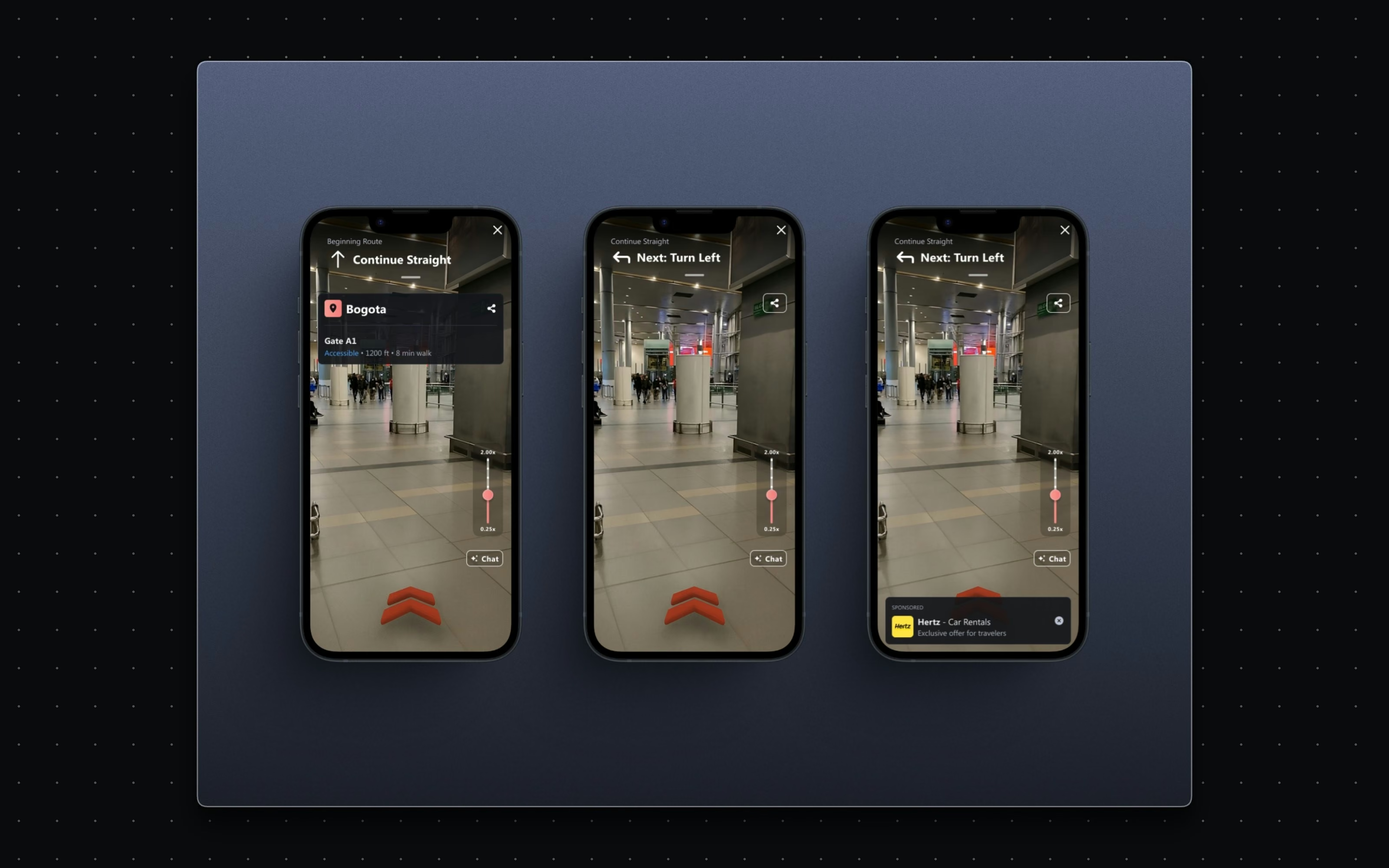
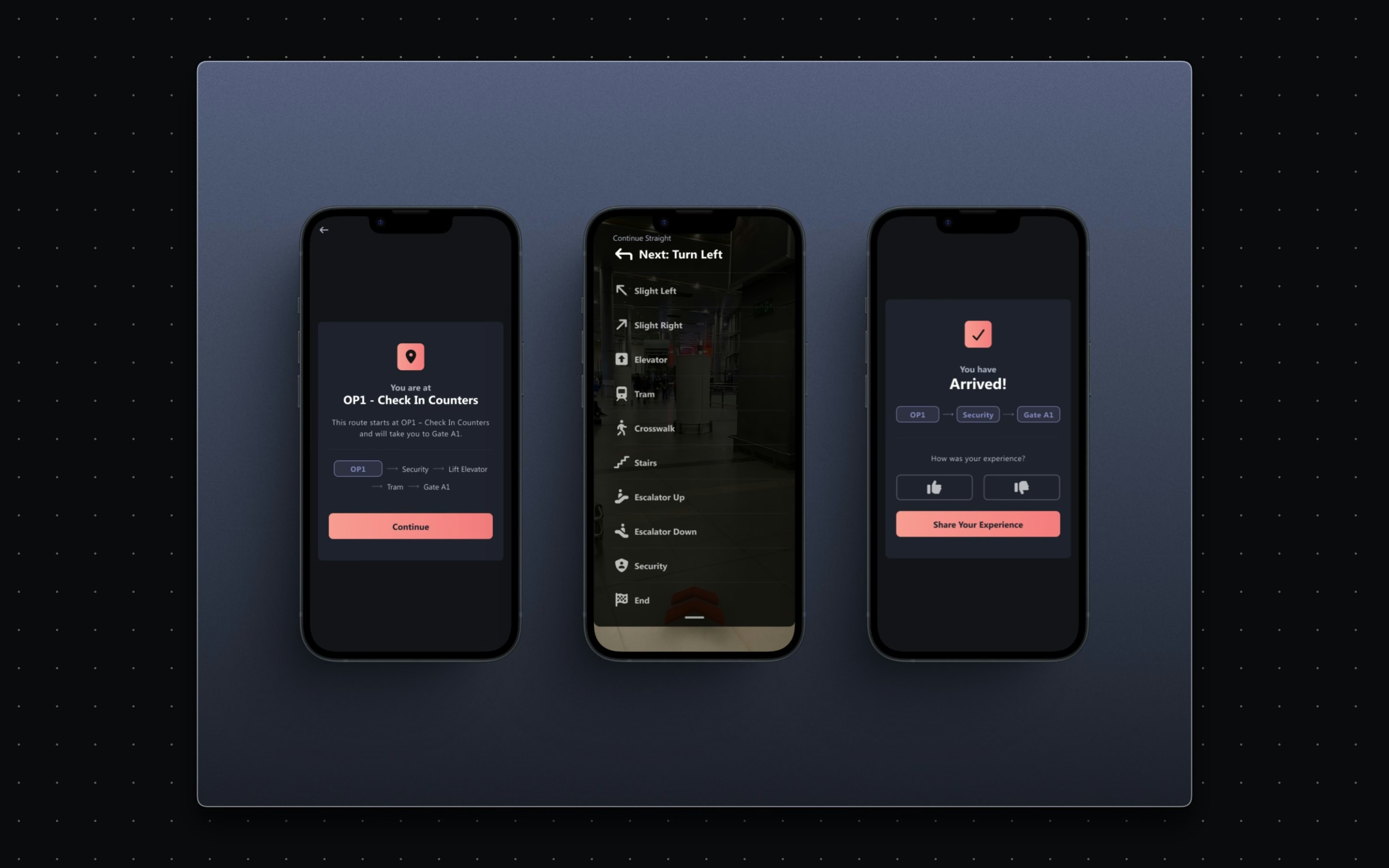
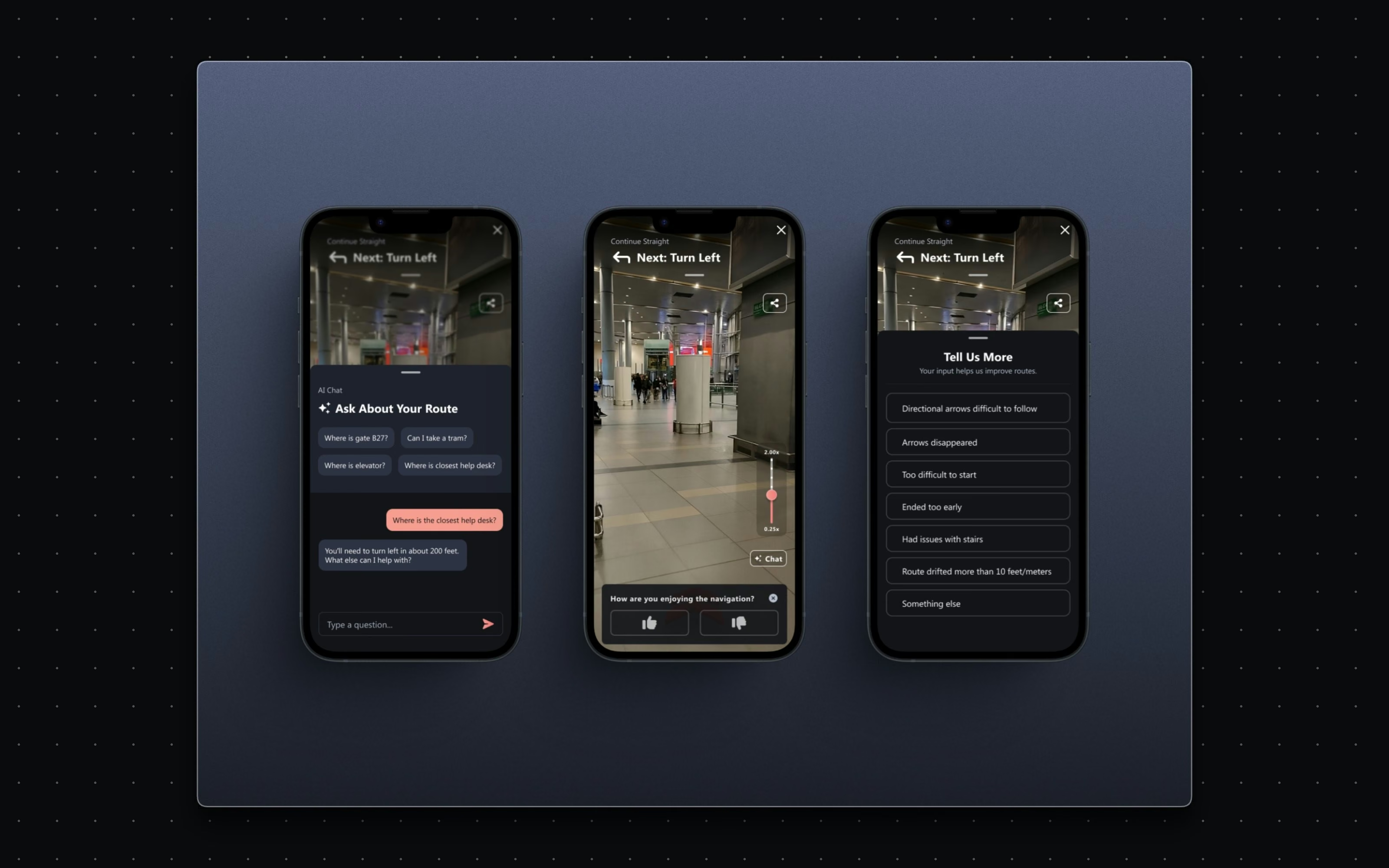
The redesign followed the journey itself: discovery, permission, guidance, arrival. Permissions were treated as onboarding rather than an interruption: simple, readable screens that explain why the camera matters. The AR view puts a directional arrow and route markers directly in the user's environment, tuned for legibility and motion safety. Turn indicators and cues arrive when needed and stay out of the way otherwise. And the loop closes with an AI chat assistant for on-route questions plus a lightweight feedback flow that feeds route accuracy back to the system.
[ Scope and constraints ]
[ The work ]
The surfaces.
[ The system underneath ]
[ Results ]
AR | Guidance anchored in the camera view 4 | Flows, permissions to arrival 1 | Assistant on the route, not outside it
Navigation feels held-up-to-the-world rather than read-off-a-map: an arrow in the hallway, a marker at the turn, and help one tap away when a route gets confusing. The feedback flow does double duty: travelers get answers instantly, and RouteMe gets the signal it needs to keep improving route accuracy and AR cues.
What I carry forward
Designing for people in motion sharpened a rule I now apply everywhere: every element that is not helping right now is in the way.