RouteMe.AI: Perfect routes, first take
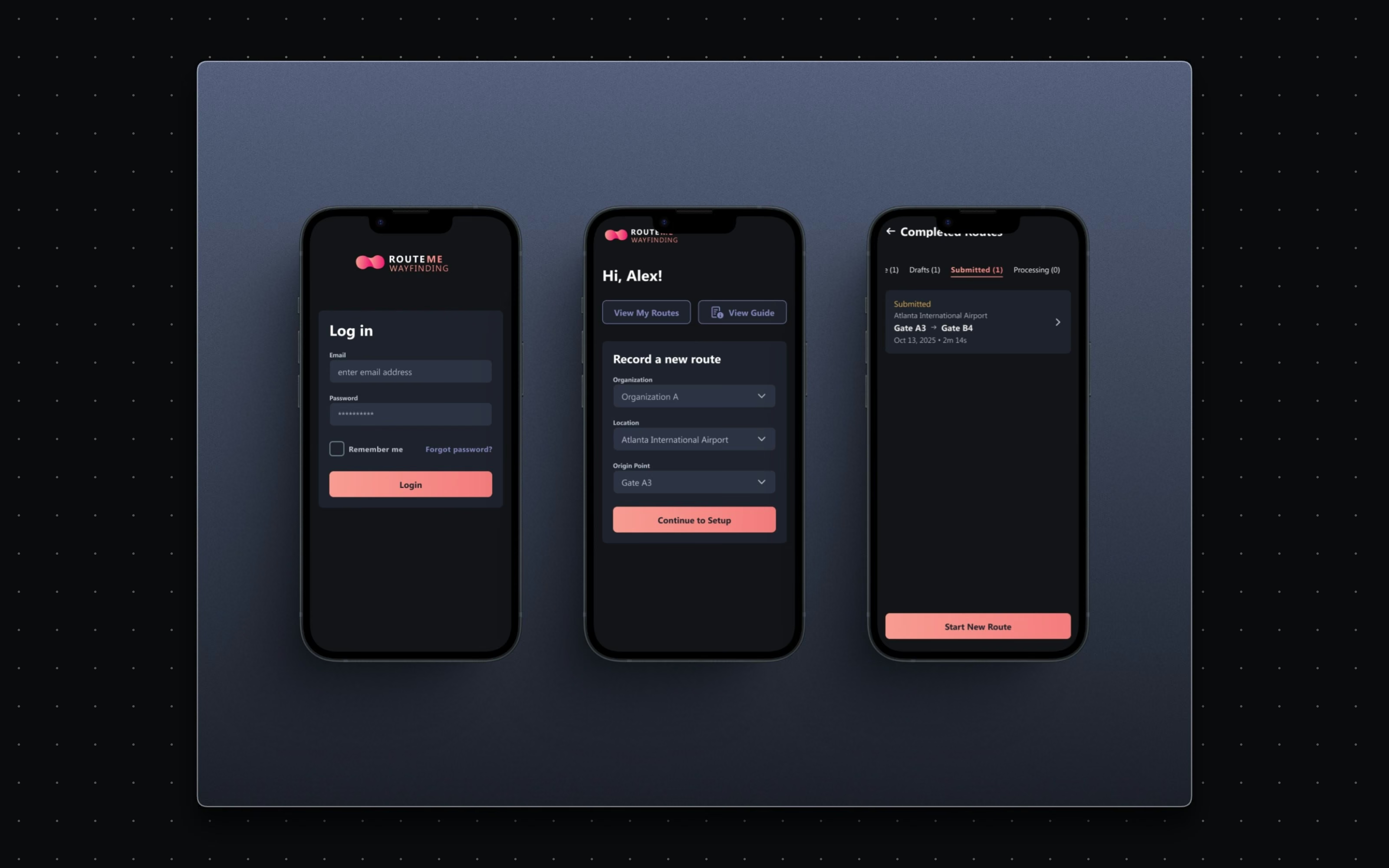
The mobile tool partner staff use to record the video routes that power RouteMe's AI wayfinding, from login to published route, redesigned to be guided and error-free.
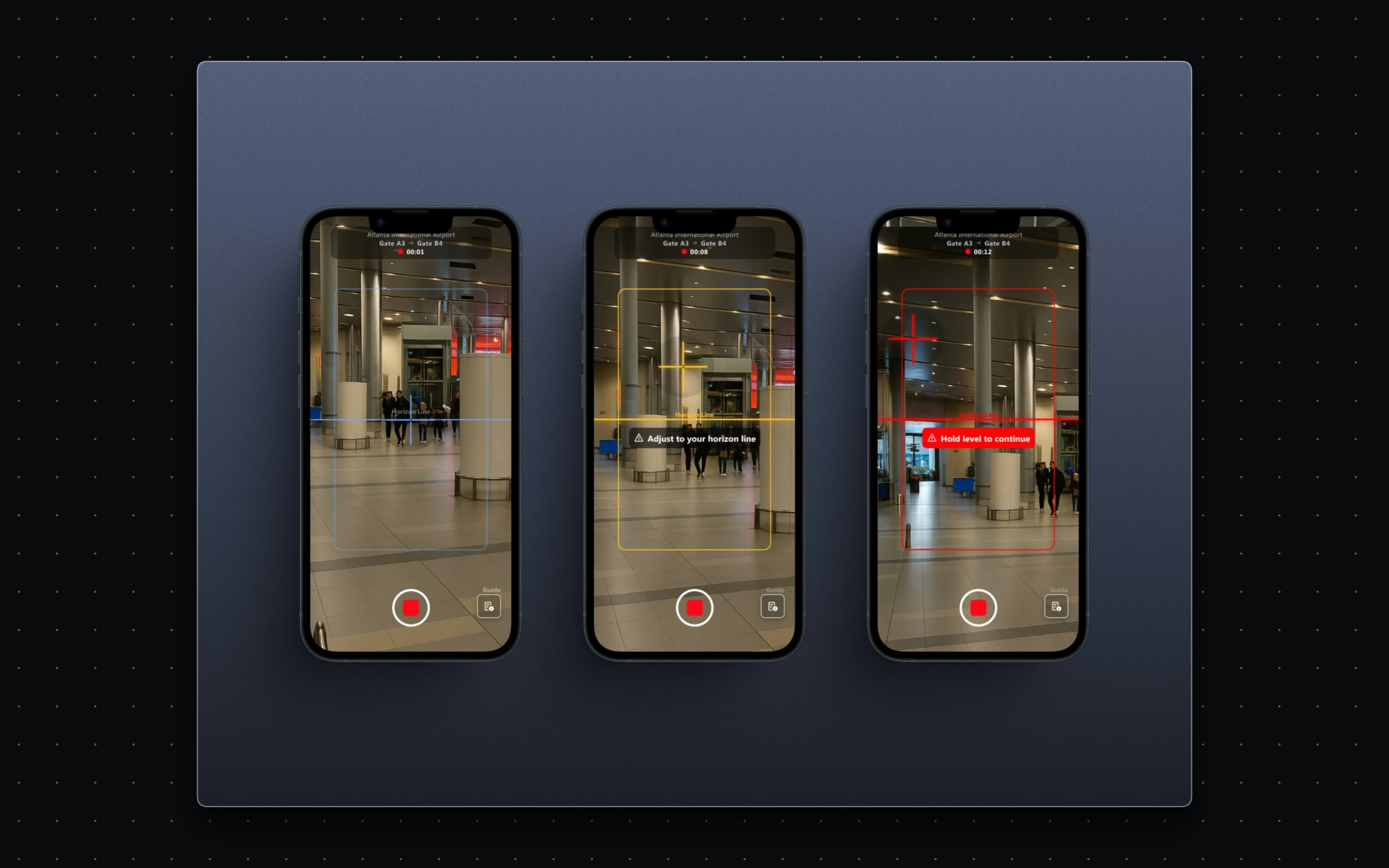
Real-time leveling and horizon guidance while recording, so route footage is AI-readable on the first take.
[ The problem ]
RouteMe's wayfinding is only as good as the footage it learns from, and that footage is captured by partner staff, not videographers. Shaky, tilted or unannotated recordings mean unusable routes and repeat visits. The tool had to make a first-time user capture like a professional.
[ Goals ]
Teach fast - onboarding that makes anyone a capable route recorder. Prevent, don't correct - live guidance that stops bad footage before it happens. Context the camera can't see - annotations for floor changes and obstructions. A clean finish - review, approve, publish, QR.
Approach
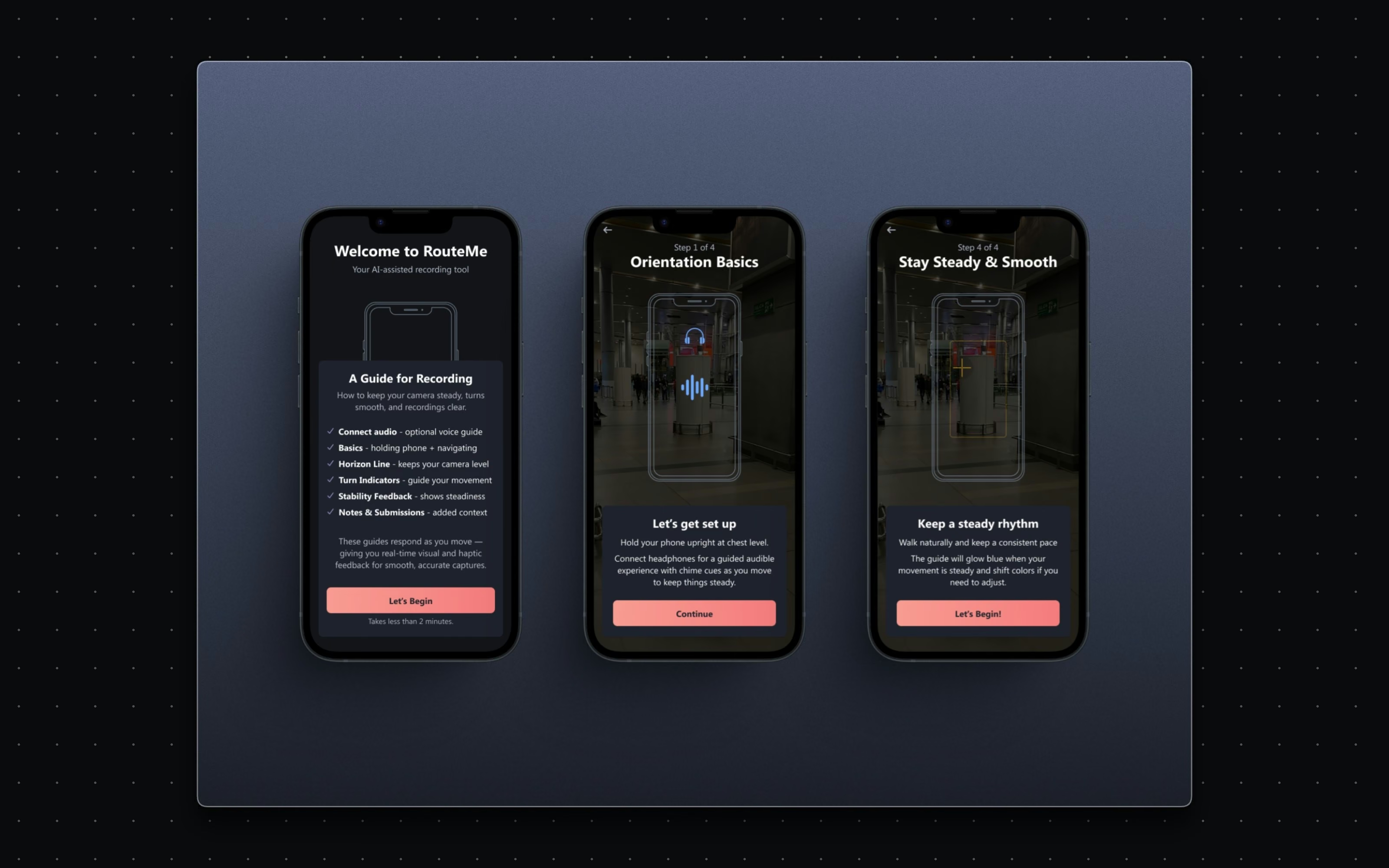
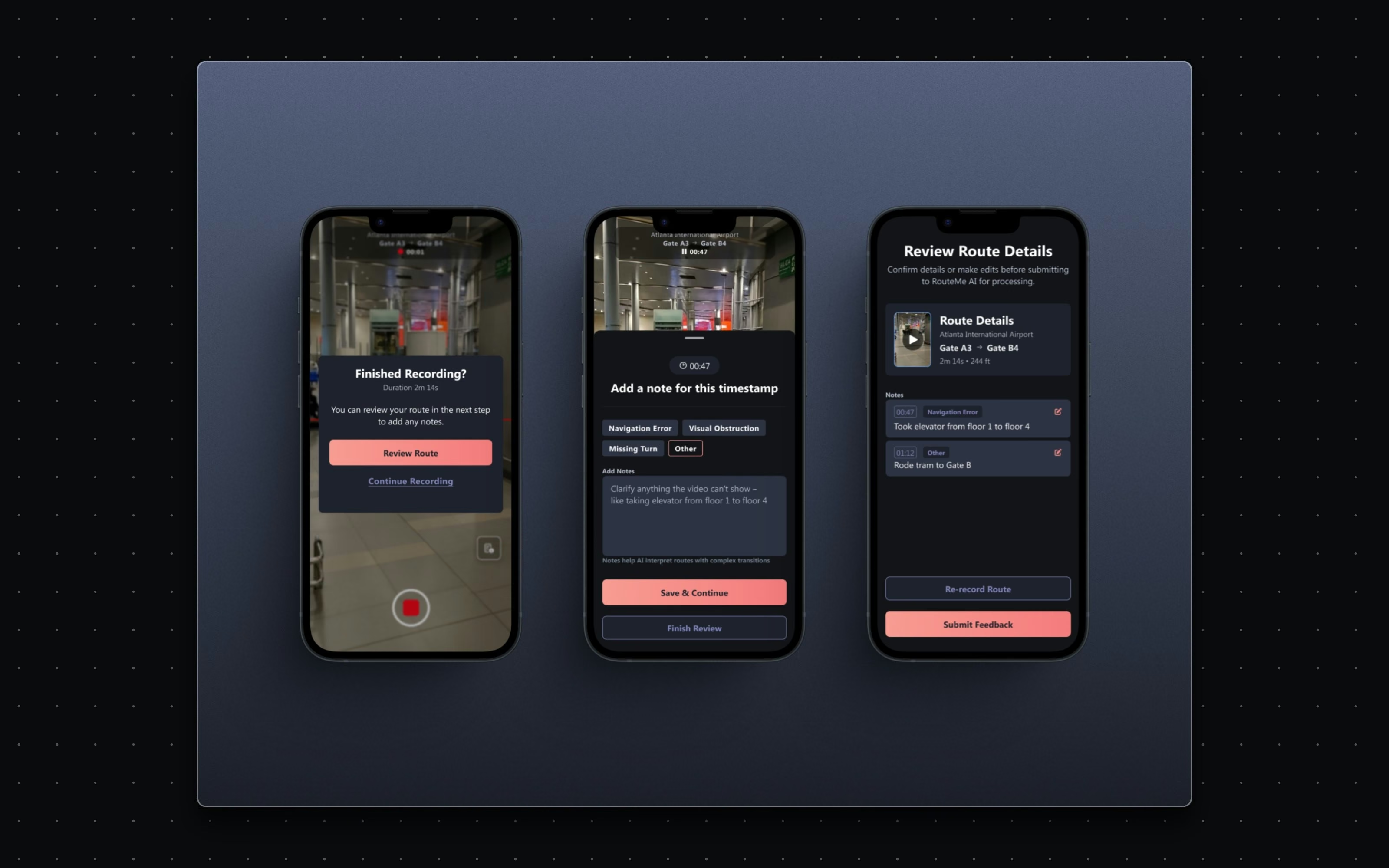
The flow was designed to carry a novice from login to published route without a mistake worth re-shooting. A short onboarding teaches the fundamentals (how to hold the phone, keep rhythm, follow turn indicators, hold the horizon) and adapts to the user's movement. While recording, live leveling overlays keep the device steady, with instant alerts when it drifts off-axis. Afterwards, a scrub-and-annotate review adds the context cameras miss: floor transitions, missed turns, obstructions. Then AI processing, confirmation, and a published route with a QR code for its physical starting point, all organized in one Completed Routes view.
[ Scope and constraints ]
[ The work ]
The surfaces.
Publish & QR
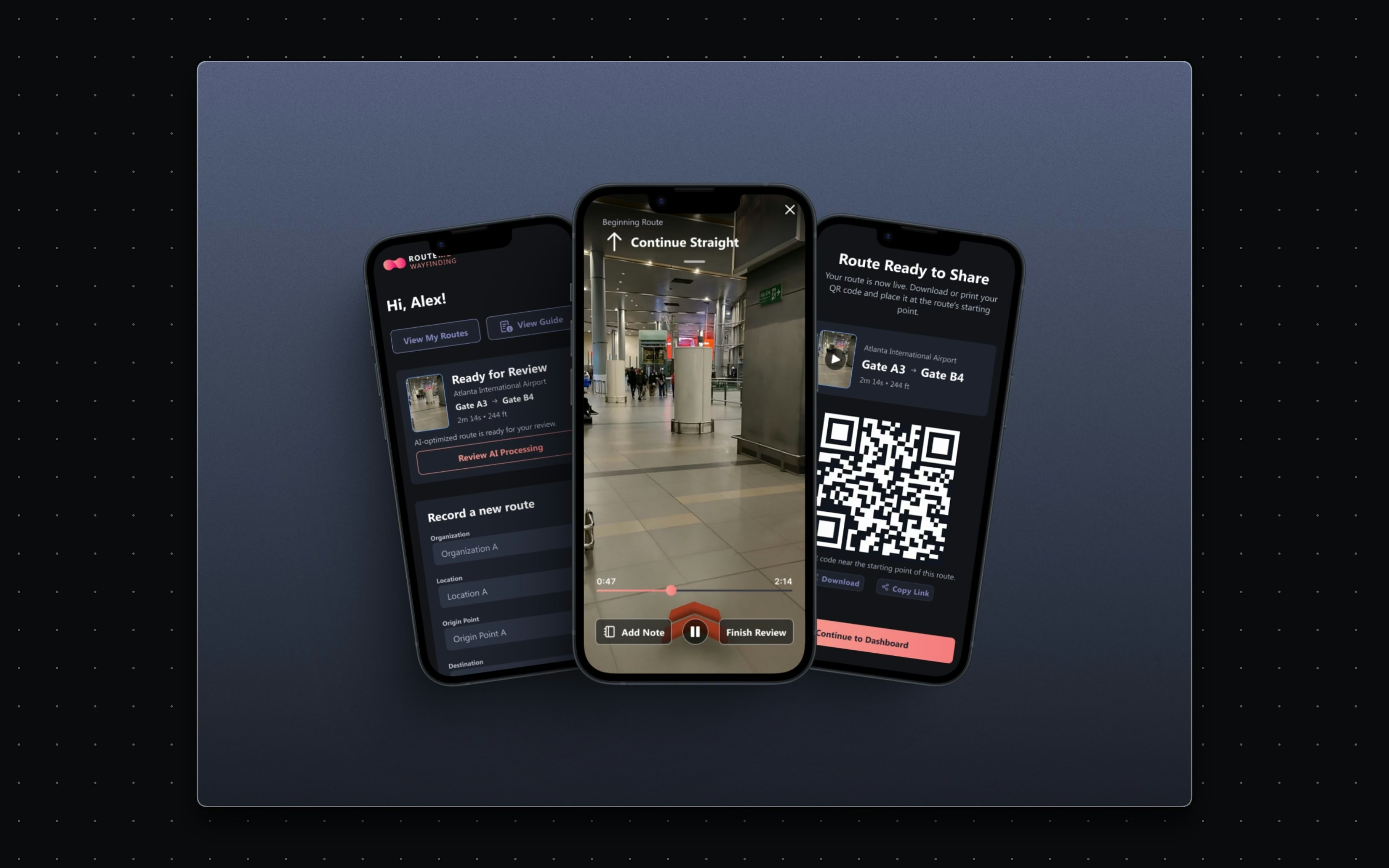
Finish with a route ready to use in the building itself.
Review AI-enhanced details, confirm corrections, approve. Then a QR code for the physical starting point, organized in a Completed Routes view.
From footage to live navigation, without a loose end.
[ The system underneath ]
[ Results ]
Live | Leveling guidance during capture 5 | Steps, login to published route QR | Every route ends at a scannable start point
Recording quality stops depending on who is holding the phone. Guidance happens during capture instead of in a rejection email, annotations give the AI the context it cannot see, and every route ends as a scannable starting point in the building itself. Fewer re-records, cleaner data, faster route coverage: the unglamorous work that makes the consumer magic possible.
What I carry forward
The best error state is the one that never renders. Live guidance while recording beats any amount of validation after.